
Site Setting /
Adding a Custom Domain in Creght
Starting from the Basic Paid Plan, Creght supports adding custom domains. Free plan users can only access their website using the default Creght domain.
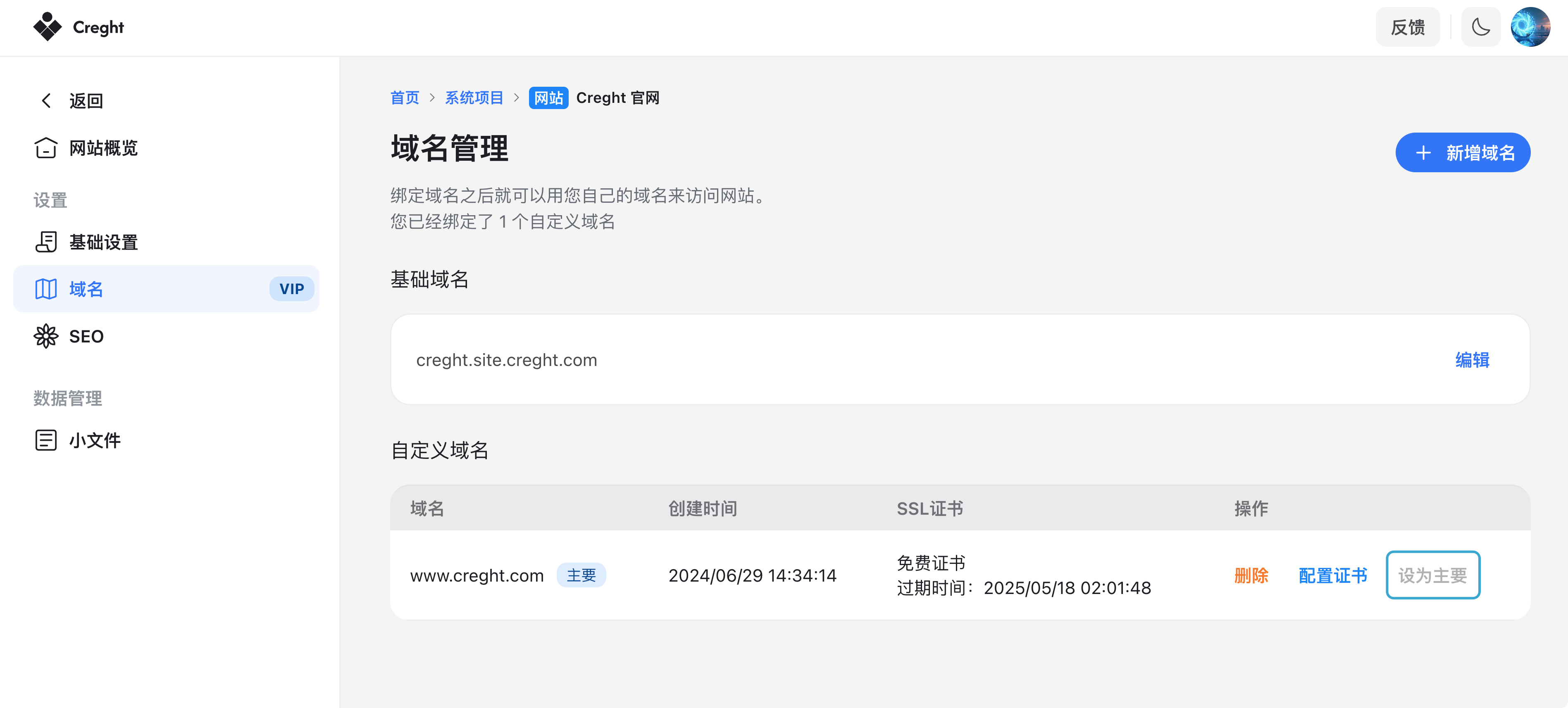
You can view both your default domain and custom domains in:
“Your Projects” → “Your Website” → “Domains”
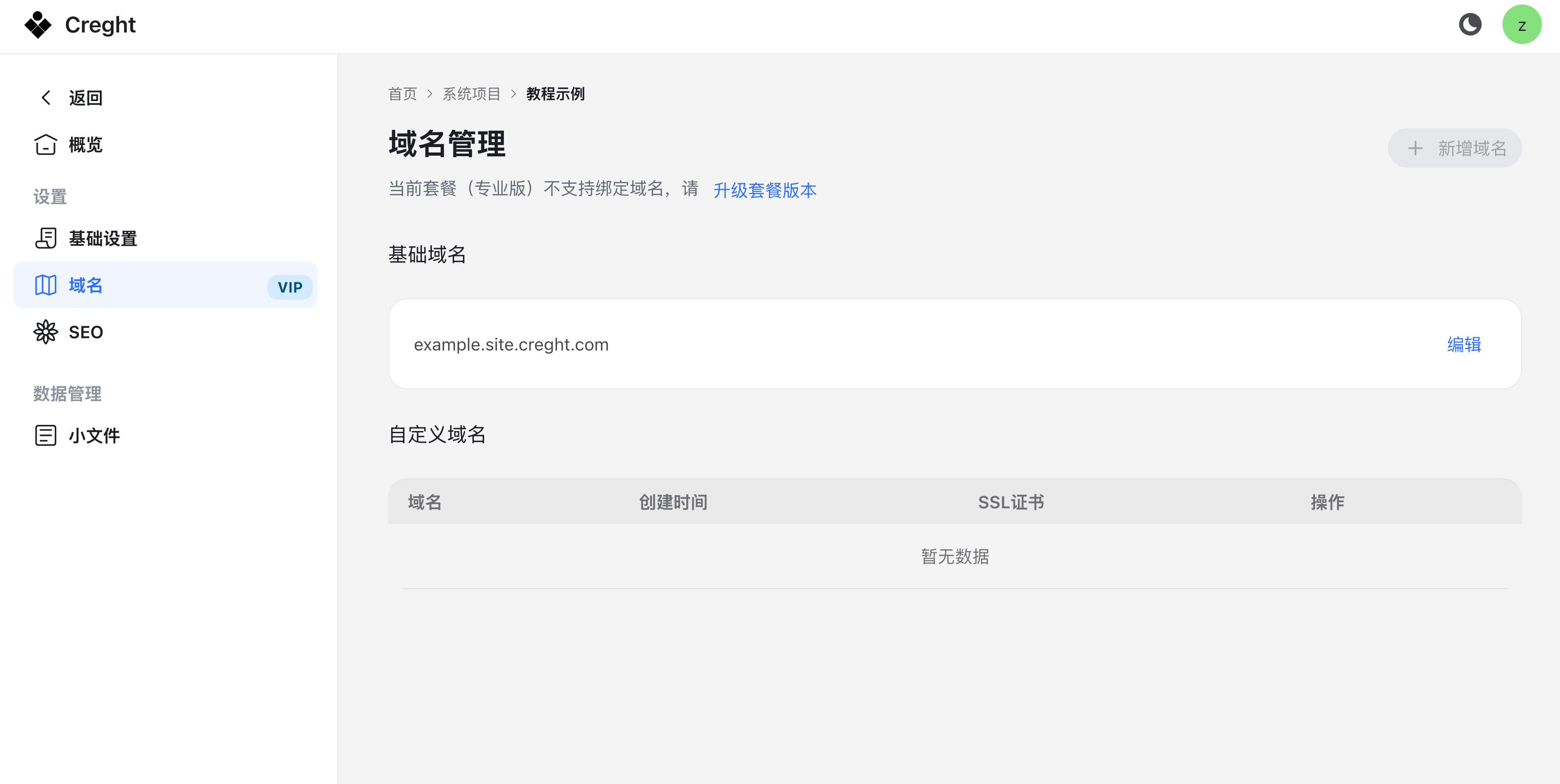
How to Add a Custom Domain
Adding a custom domain requires two steps:
- Configure your domain’s DNS to point to the default Creght domain.
- Add the custom domain in the Creght dashboard.
1. Configure DNS Records with Your Domain Provider
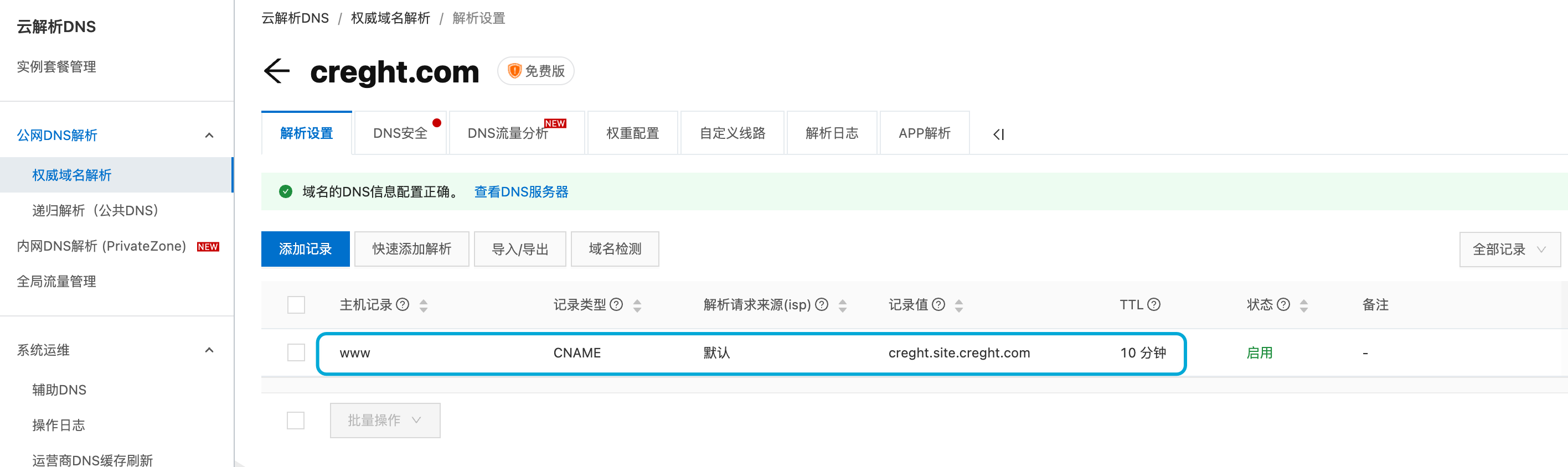
First, log in to your domain provider (where you purchased your domain) and create a CNAME record pointing to the default Creght domain (xxxx.site.creght.com).
Below is an example using Alibaba Cloud DNS. Other providers follow a similar process.
- Open DNS Console → Domain Management → select your domain → DNS Settings.
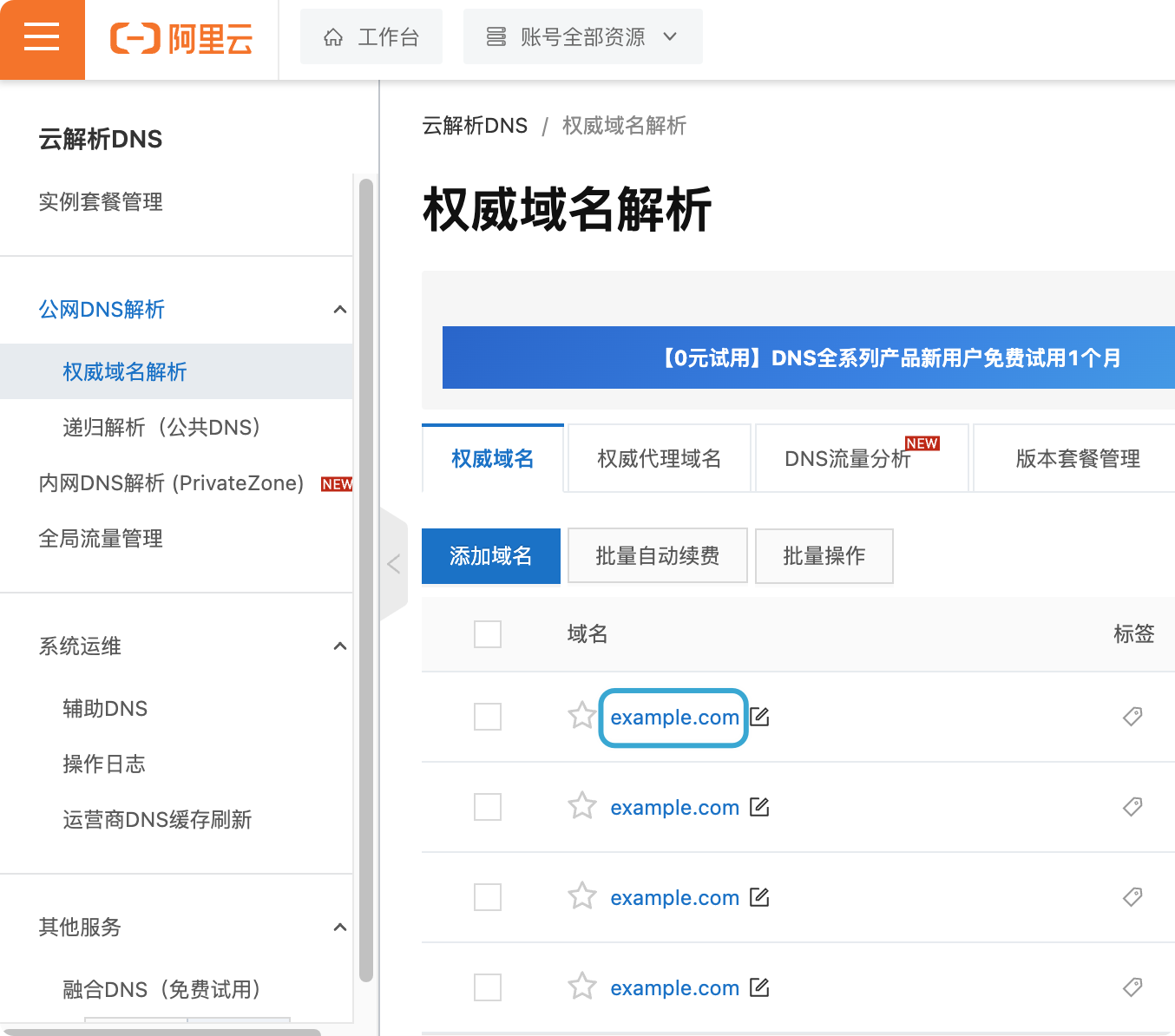
- Click Add Record.
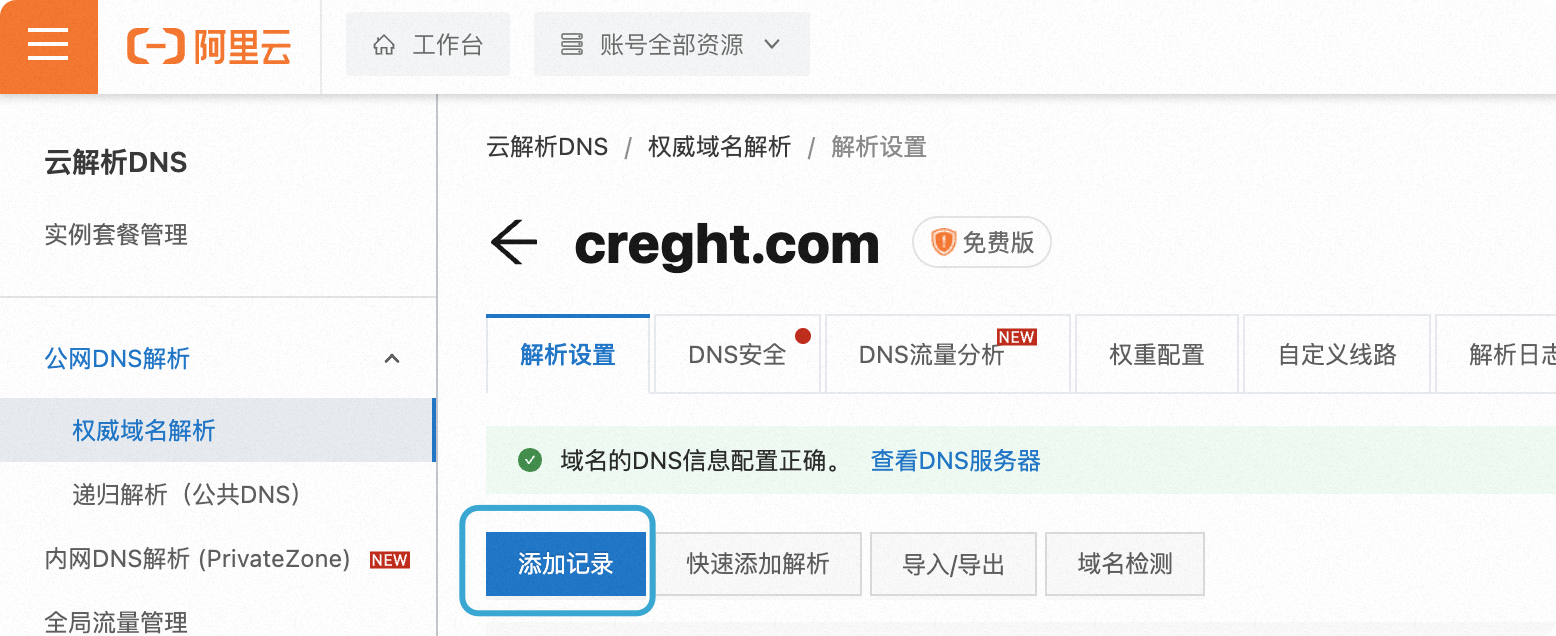
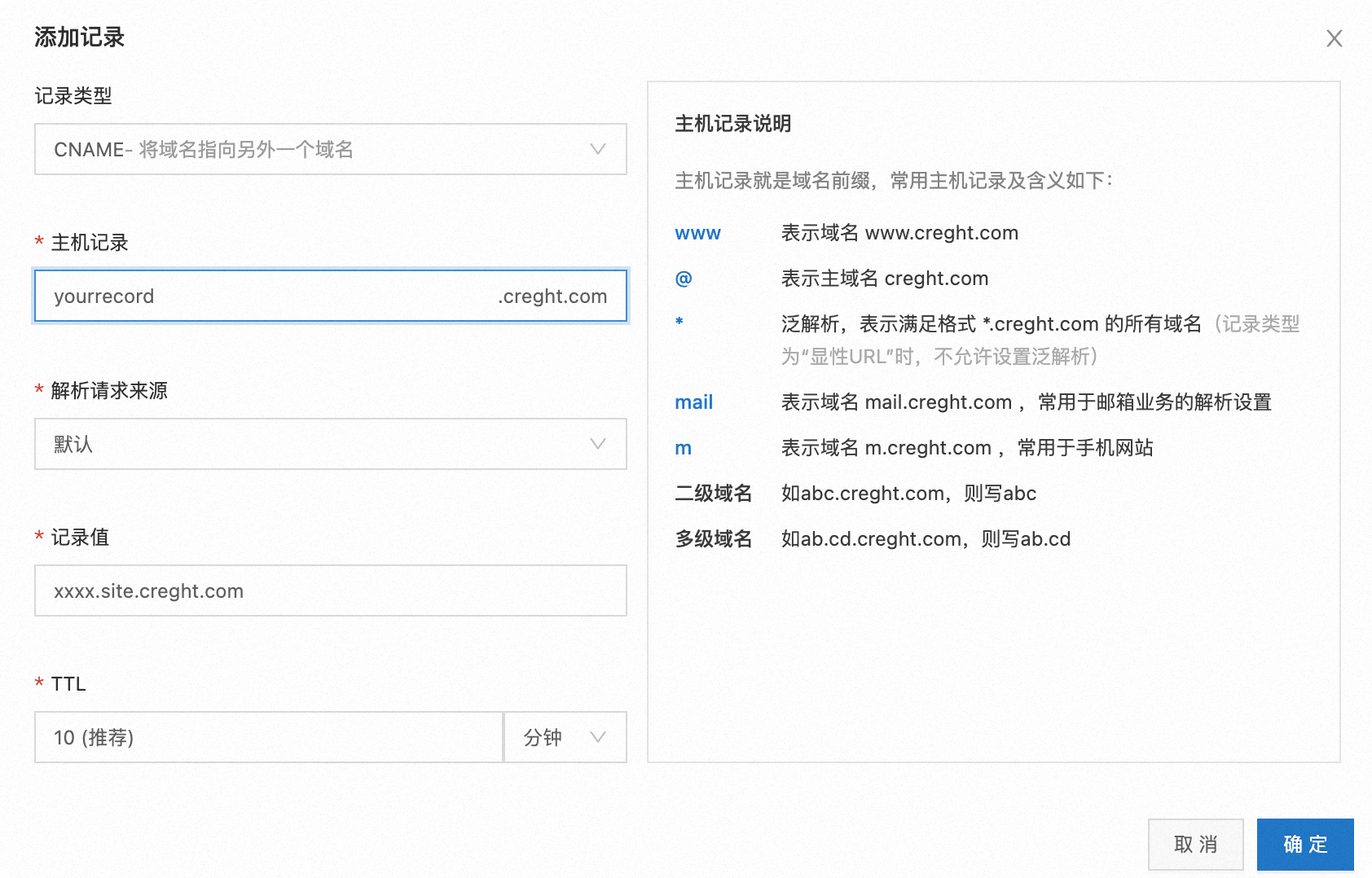
In the pop-up, fill in the following:
- Record Type: CNAME
- Host/Name: Enter the subdomain (e.g.,
www) to access viawww.yourdomain.com.- To use the root domain (
yourdomain.com), enter@.
- To use the root domain (
- Value/Points to: Enter the default Creght domain (
xxxx.site.creght.com).
Click Confirm. The new record will appear in your DNS list once added successfully.
2. Add the Custom Domain in Creght
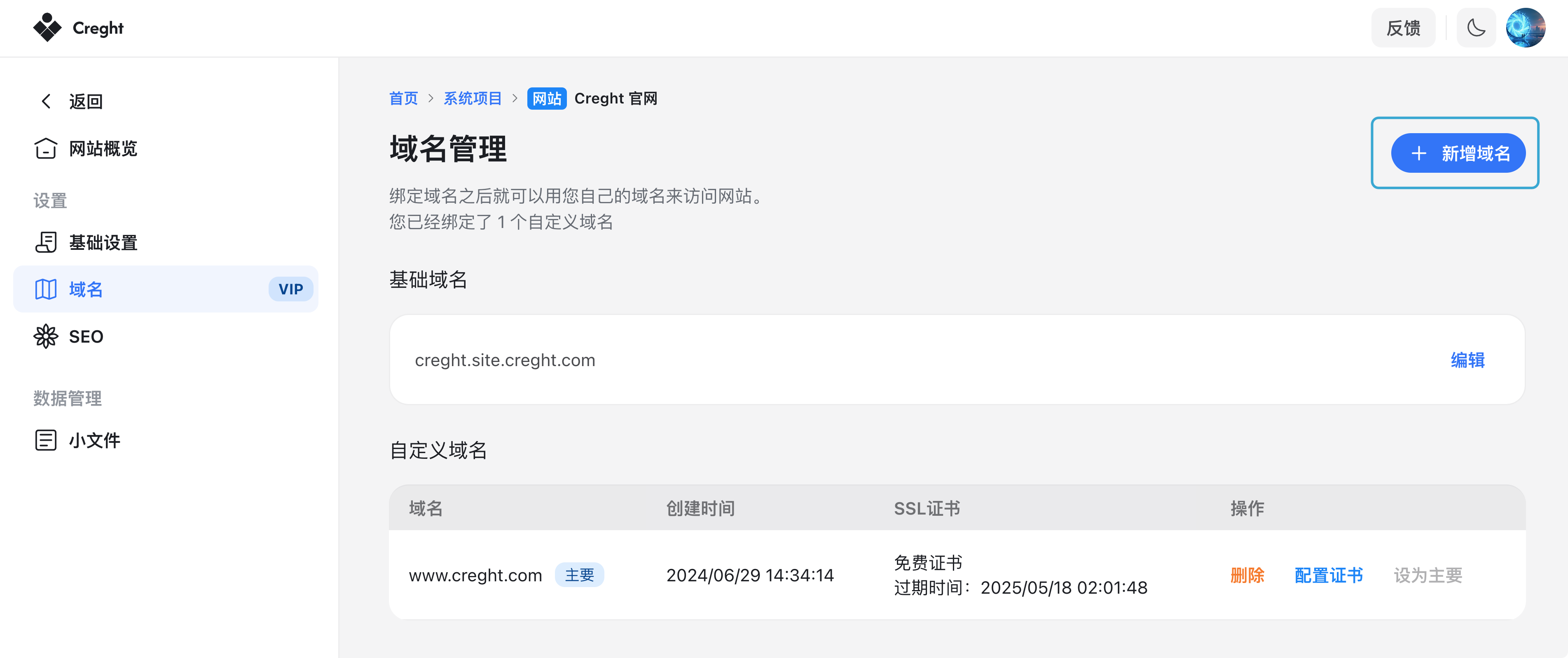
After setting up DNS, return to Creght to add your domain:
- Go to “Your Projects” → “Your Website” → “Domains”.
- Click Add Domain at the top-right corner.
3. Enter your custom domain (e.g., www.example.com) and click Bind Domain.
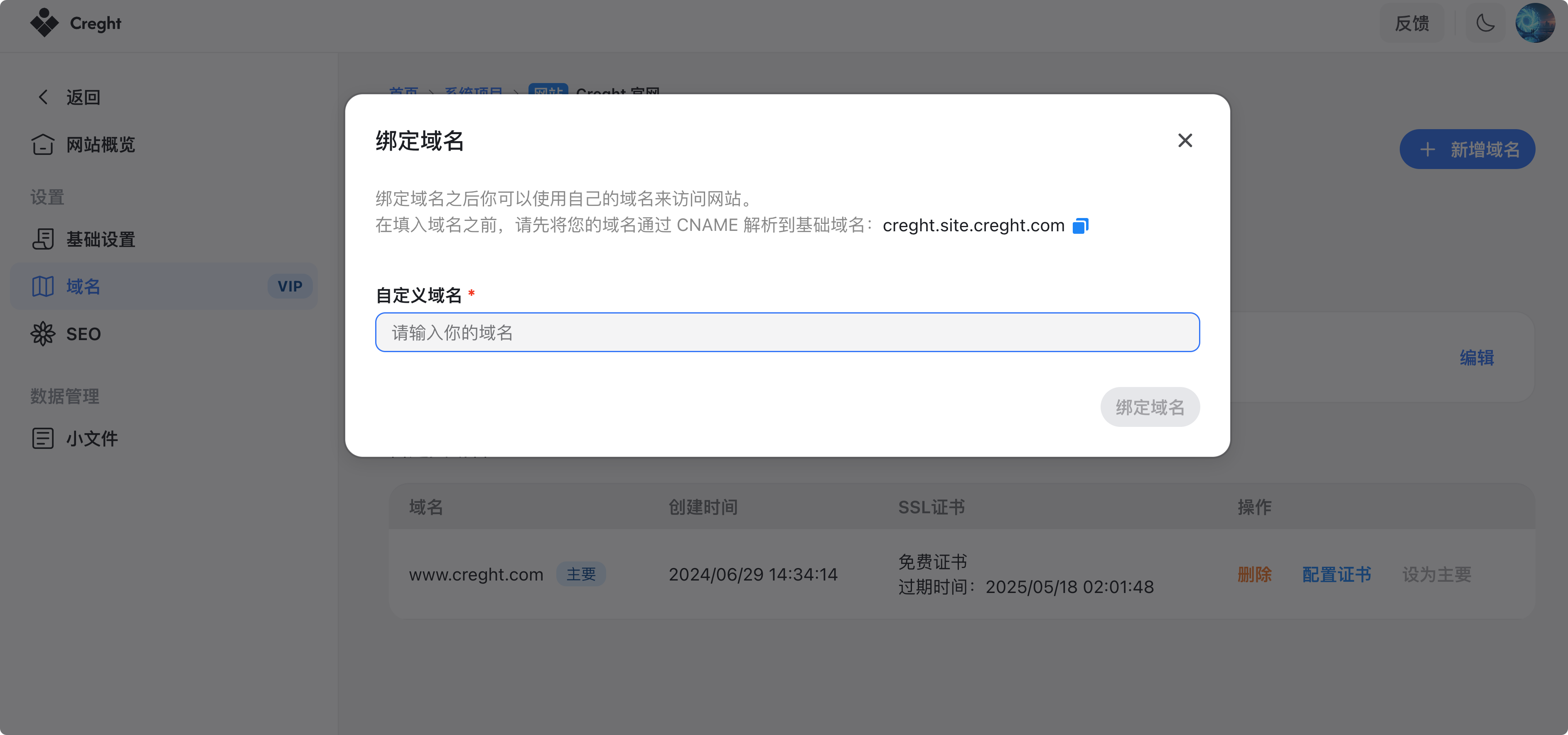
Once successfully bound, your website will be accessible via your custom domain.
Enable SSL Certificate
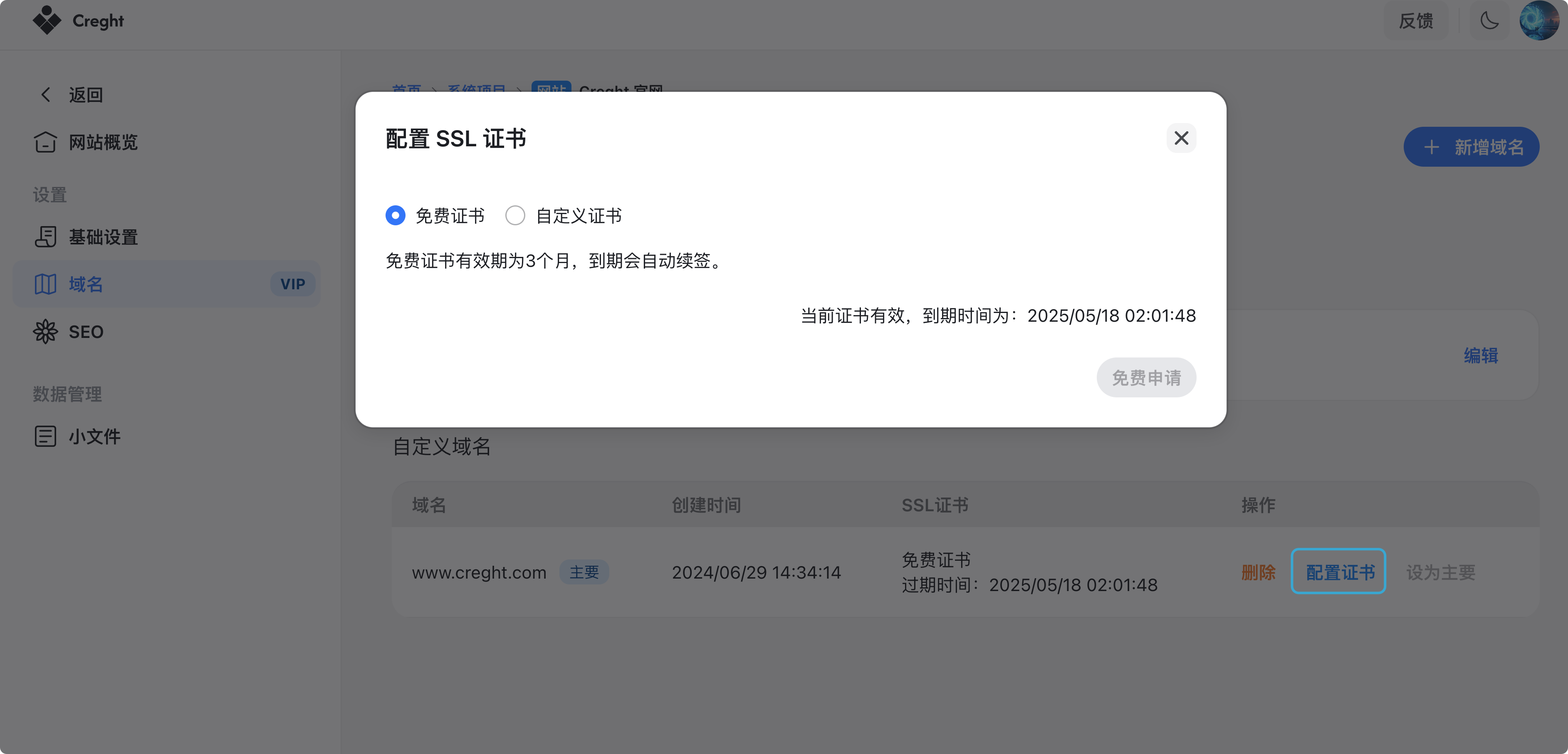
We recommend enabling HTTPS after binding a custom domain. Browsers may mark non-HTTPS sites as “Not Secure,” which can confuse your visitors.
- No need to purchase an SSL certificate separately.
- Creght provides free SSL certificates and handles automatic renewal.
- Simply click Configure Certificate in the dashboard.
Set as Primary Domain
If multiple domains are bound, you can select one as the primary domain. All other domains (including the default domain) will automatically redirect to the primary domain.
This version keeps instructions step-by-step, uses consistent terminology, and is ready for inclusion in a help center.