
Submit Your Site to Bing for Indexing
This guide explains how to submit a Creght website to Bing for indexing.
Proactive submission can help Bing discover pages sooner, but it does not guarantee indexing or higher rankings.
Most users only need to add and verify the site, submit the Sitemap, and check important pages. IndexNow is optional.
1. Prepare Before You Start
Your website is published and publicly accessible.
A custom domain is connected and verified.
Use the final HTTPS address, such as
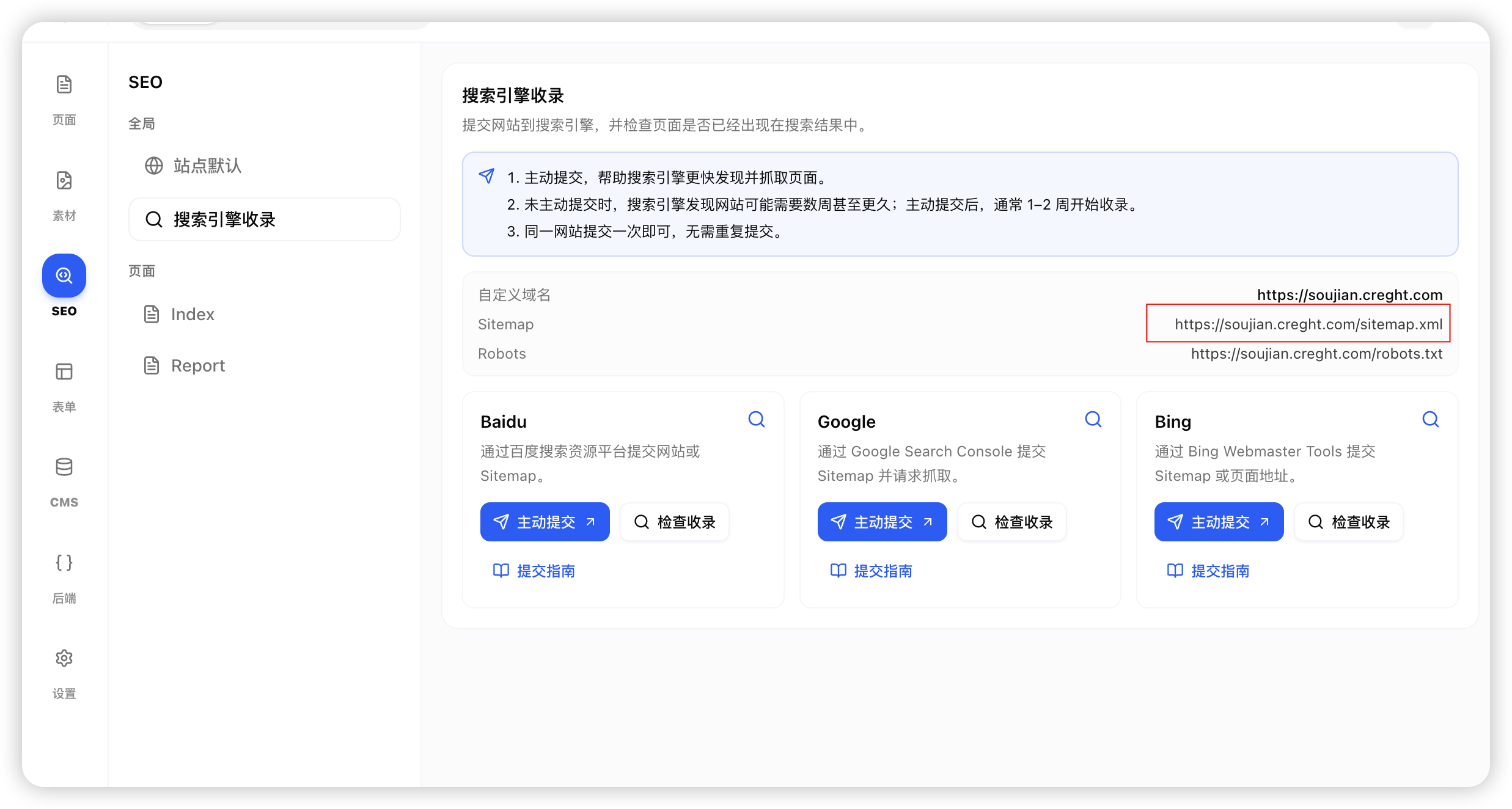
https://example.com.In Creght SEO → Search engine indexing, confirm that the Sitemap opens at
https://example.com/sitemap.xml.
2. Sign in to Bing Webmaster Tools and Add Your Site
Open Bing Webmaster Tools and sign in with a Microsoft account.
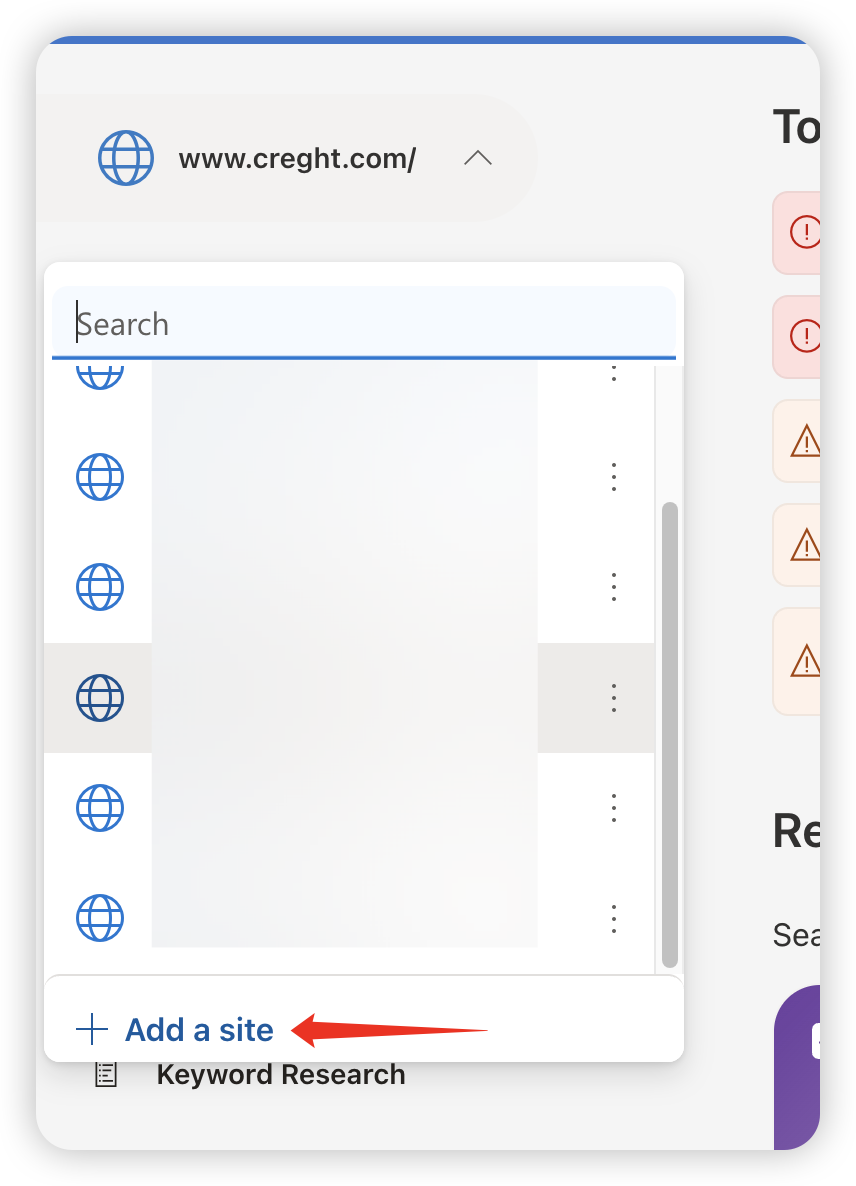
Click Add a Site.
If the site has already been verified in Google Search Console, import it directly; otherwise enter the public site address manually.
Complete site verification as instructed by Bing.
3. Verify Your Site
Choose the workflow that matches your Creght website-building method. After verification, do not delete the verification file or HTML tag.
AI Website Builder
For sites created with Creght AI.
Option 1: HTML Tag Verification
Copy the verification tag from Bing.
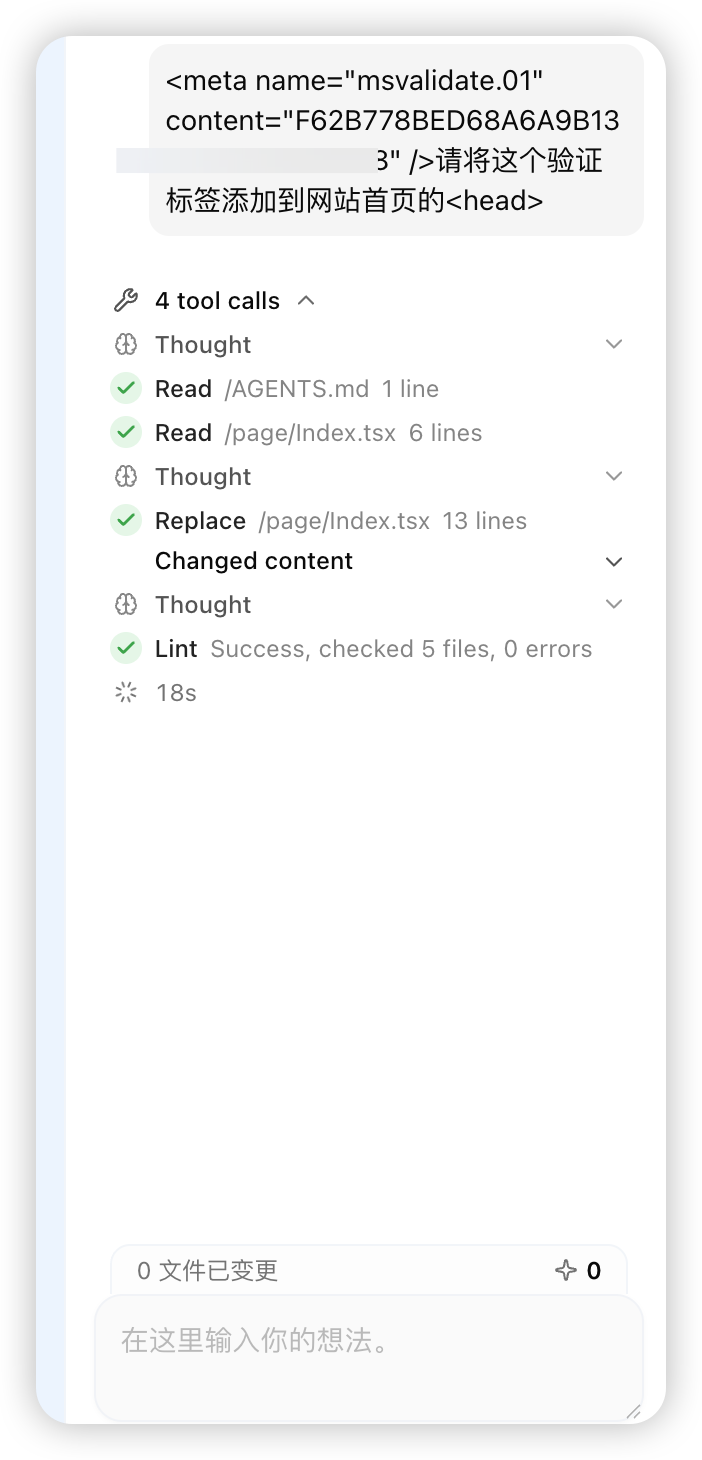
Paste it into Creght AI and say: “Add this Bing verification tag to the global
<head>, then publish the website.”Publish the site, then return to Bing and complete verification.
Option 2: File Verification
Download the verification file from Bing without changing its filename or contents.
Create a file with the same name in the
/public/directory in the Creght code editor and copy in its contents.Publish the site, then return to Bing and complete verification.
Visual Website Builder
For sites created with the Creght visual editor.
Option 1: HTML Tag Verification
Copy the Bing verification tag.
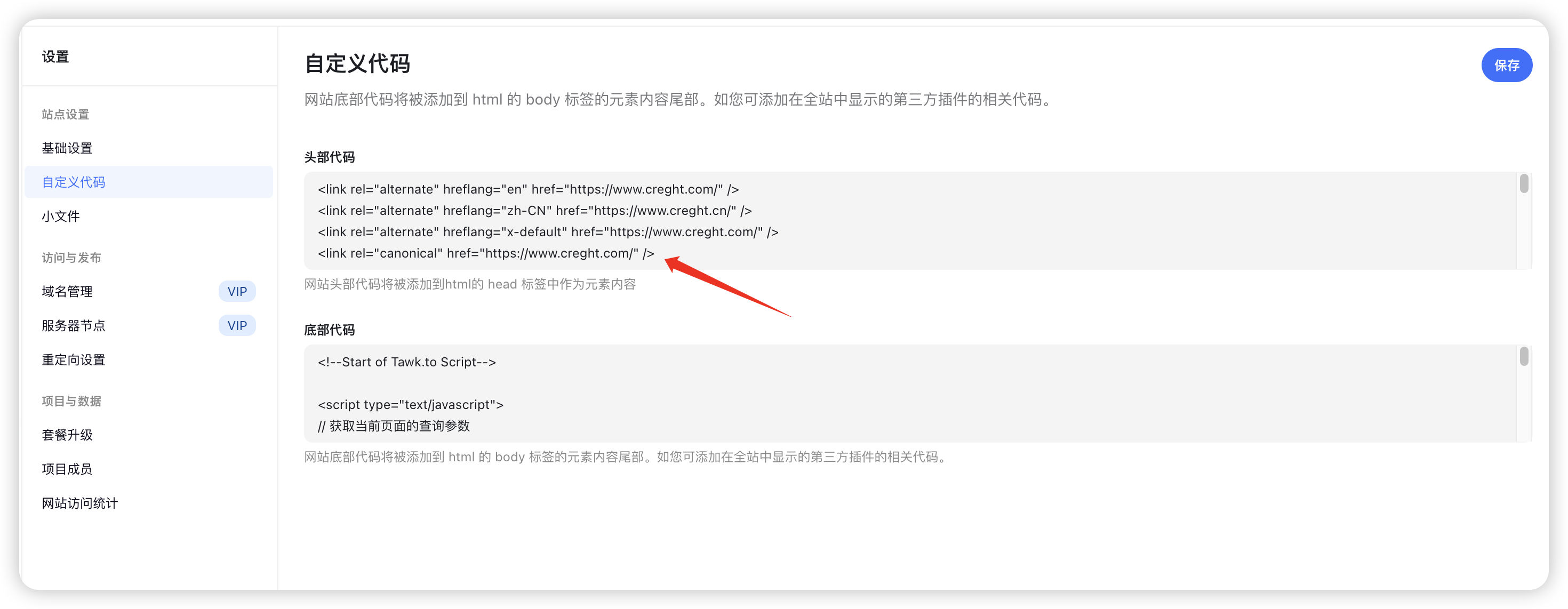
Open Creght Site Settings → Custom Code and paste it into Head Code.
Save and publish the site, then return to Bing and complete verification.
Option 2: File Verification
Download the verification file from Bing without changing its filename or contents.
Open Creght Site Settings → Small Files and upload the verification file.
Save and publish the site, then return to Bing and complete verification.
If you are familiar with domain management, you can also use DNS verification as instructed by Bing. For most Creght users, the workflows above are simpler.
4. Three Ways to Submit Pages
Option 1: URL Inspection
Use this for your homepage, newly published articles, product pages, or case studies.
Open URL Inspection in Bing Webmaster Tools.
Enter the complete page URL and run the inspection.
If the page is crawlable but not indexed, click Request indexing.
Option 2: Submit a Sitemap (Recommended)
Copy the Sitemap URL from Creght SEO → Search engine indexing.
In Bing Webmaster Tools, open Sitemaps → Submit sitemaps.
Paste the URL and submit it.
Option 3: IndexNow/API (Advanced, Optional)
IndexNow is useful for developers or CMS workflows that need automated submissions. Most Creght users can use Sitemap submission and URL Inspection instead.
5. Check Indexing After Submission
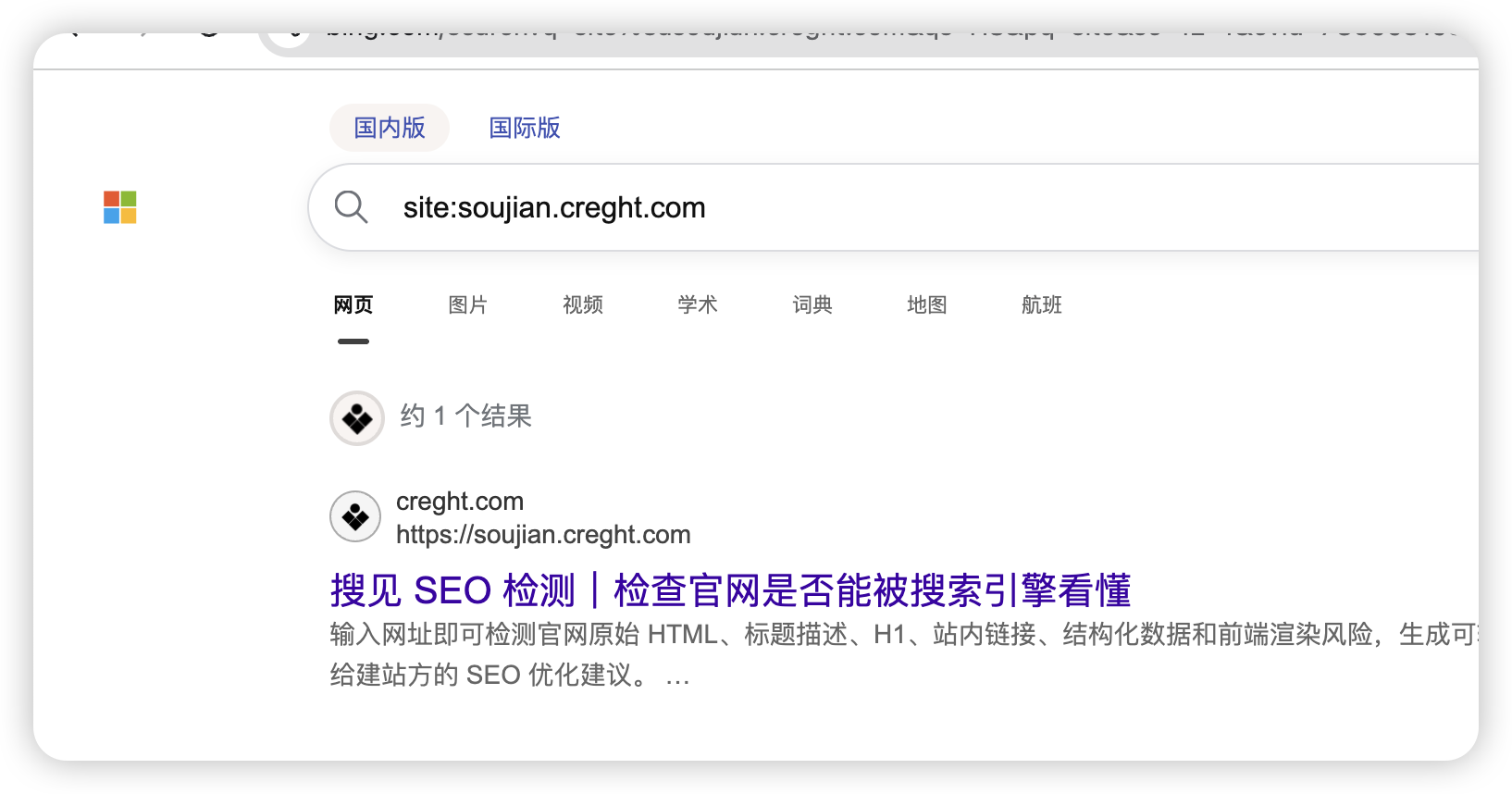
Search Bing for
site:your-domain.com, such assite:example.com.Check the status of a specific page in URL Inspection.
It is normal not to see a result immediately after submission. Bing needs time to discover, crawl, and evaluate the page.
6. Frequently Asked Questions
Why is my page still not indexed after submission?
Check that the page is publicly accessible, does not contain noindex, is not blocked by robots.txt, and returns normally. Then allow Bing time to process it.
What should I do if Sitemap submission fails?
Confirm that the Sitemap opens in a browser and belongs to the currently verified site. If it still fails, submit important pages through URL Inspection first.
Do I need to submit again after changing domains?
Yes. A new domain must be added and verified again, followed by submission of its new Sitemap and page URLs.
Will proactive submission improve rankings?
It does not directly improve rankings. It helps Bing discover and crawl pages sooner; rankings still depend on content and site quality.