
Submit Your Site to Baidu for Indexing
This guide explains how to use Baidu Search Resource Platform to proactively submit a Creght website and its pages, helping Baidu discover and crawl the content sooner.
Important: proactive submission only provides page URLs to Baidu. It does not guarantee indexing or directly improve search rankings. Whether a page is indexed still depends on accessibility, content quality, site structure, and Baidu's search rules.
After verifying the site, you can use “Regular Submission” to submit important pages. Sitemap and API submission are additional options, depending on your Baidu account permissions and needs.
1. Prepare Before You Start
Before submitting, confirm the following:
The website is published in Creght and opens normally in a browser.
A custom domain is connected. Do not submit the editor preview URL.
You are using the final HTTPS address, and understand the difference between the
wwwand non-wwwversions. For example,https://example.comandhttps://www.example.comare different addresses.Important pages are publicly accessible without login restrictions, redirect errors, or server errors.
Published Creght websites are normally crawlable by search engines and do not require additional settings.
2. Sign in to Baidu Search Resource Platform and Add Your Site
Open Baidu Search Resource Platform and sign in to your Baidu account.
Open “User Center” or “Site Management”, then click “Add Site”.

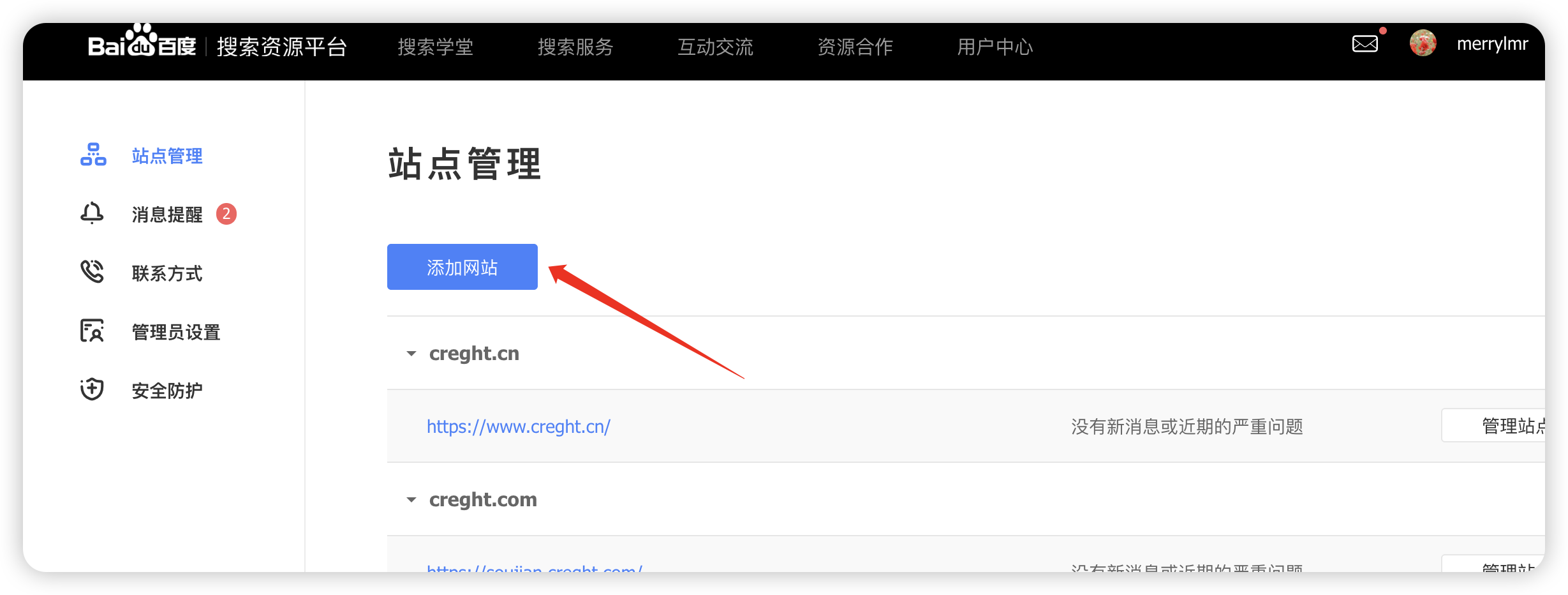
Enter the public website address. Copy the complete URL from your browser's address bar; do not manually change
http,https, orwww.
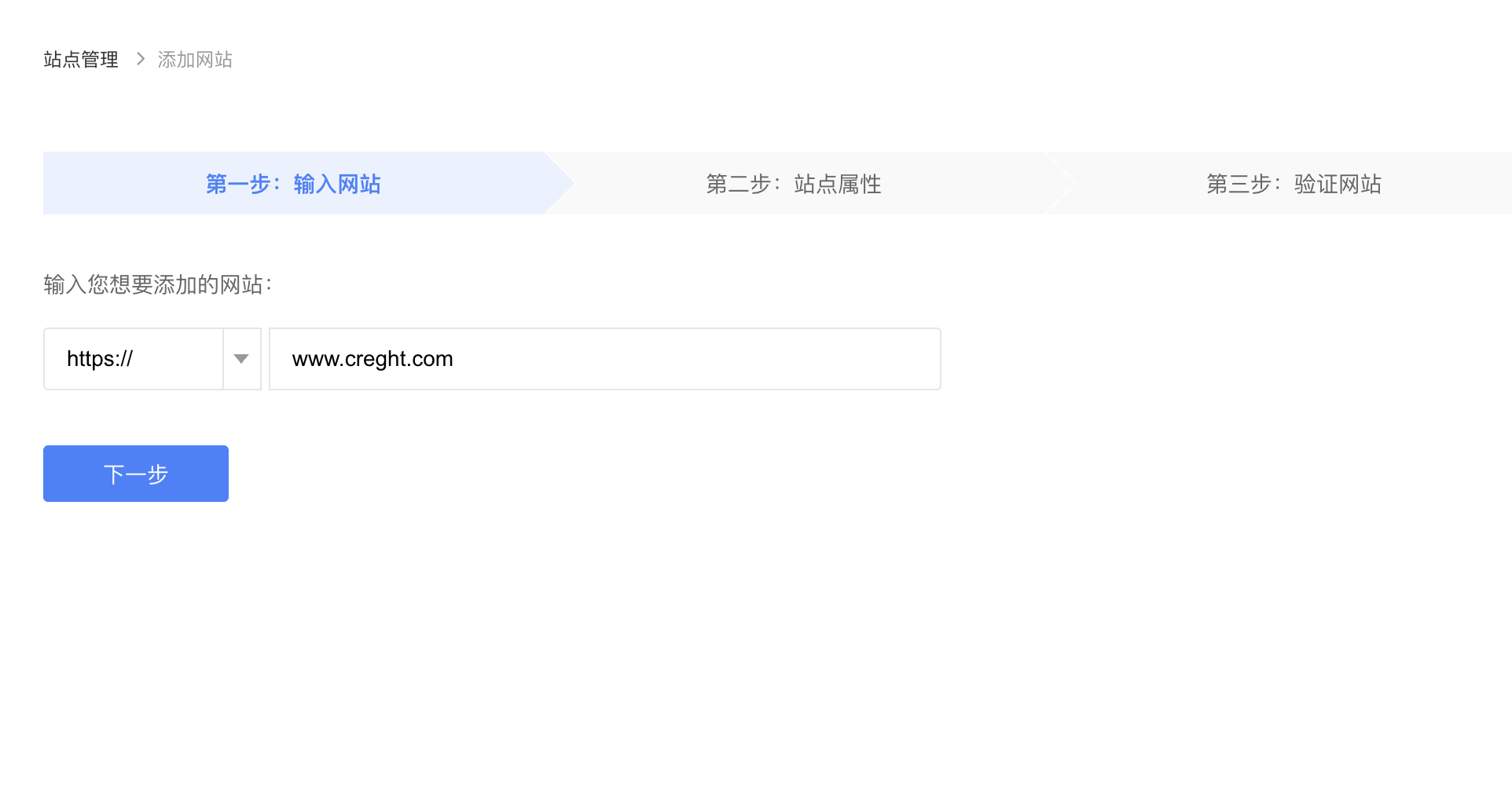
Select the site type as prompted, then complete site verification.
After the site is added, finish ownership verification. Only after verification can you use tools such as Regular Submission.
3. Verify Your Site
After adding the site, complete verification. Baidu provides file verification and HTML tag verification; choose either one.
Creght supports different verification workflows for AI websites and visual websites. Follow the instructions for your site type.
AI Website Builder
File Verification
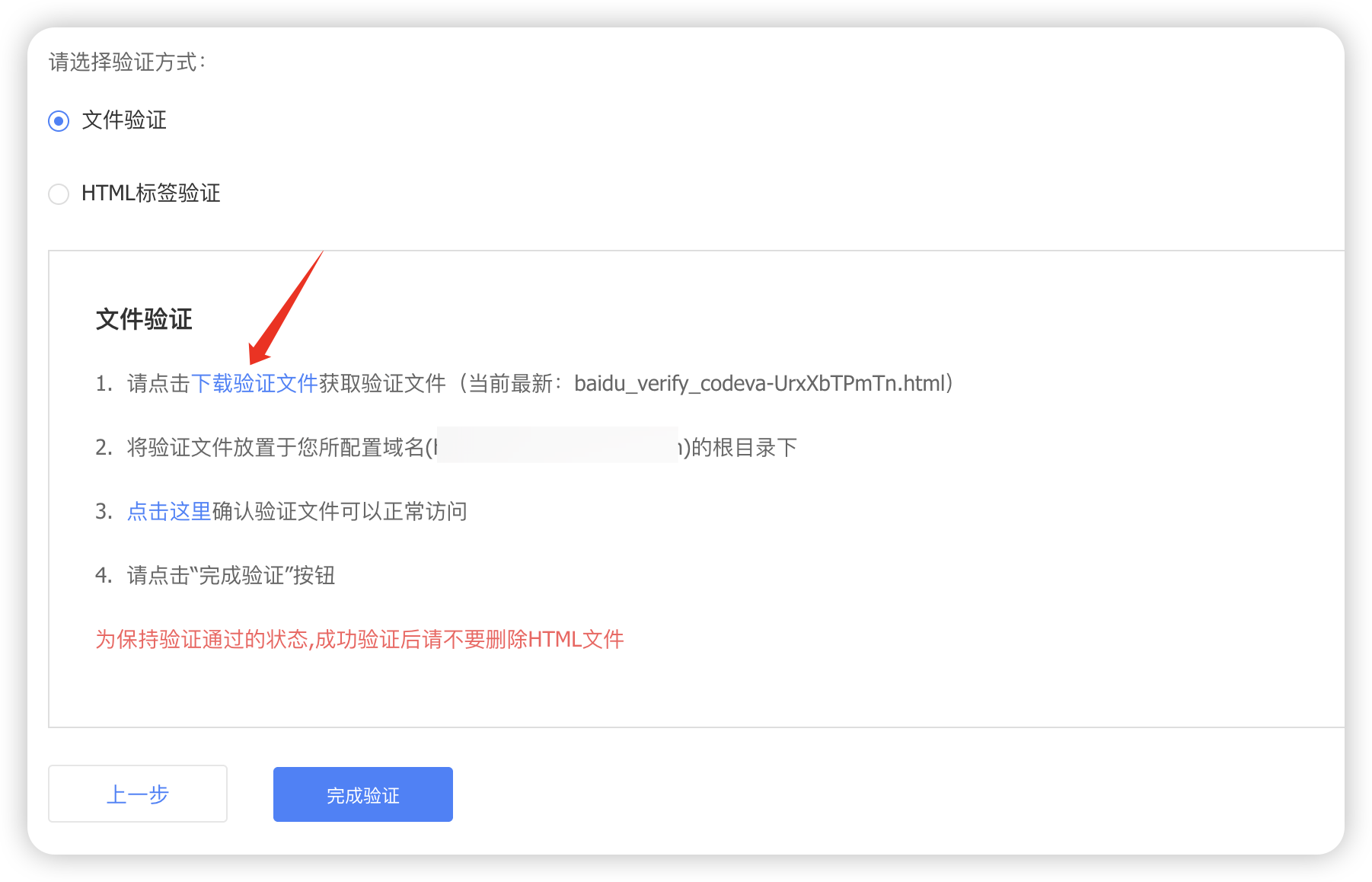
Choose “File Verification” on the Baidu verification page and download the verification file.
Do not change the filename or file contents.
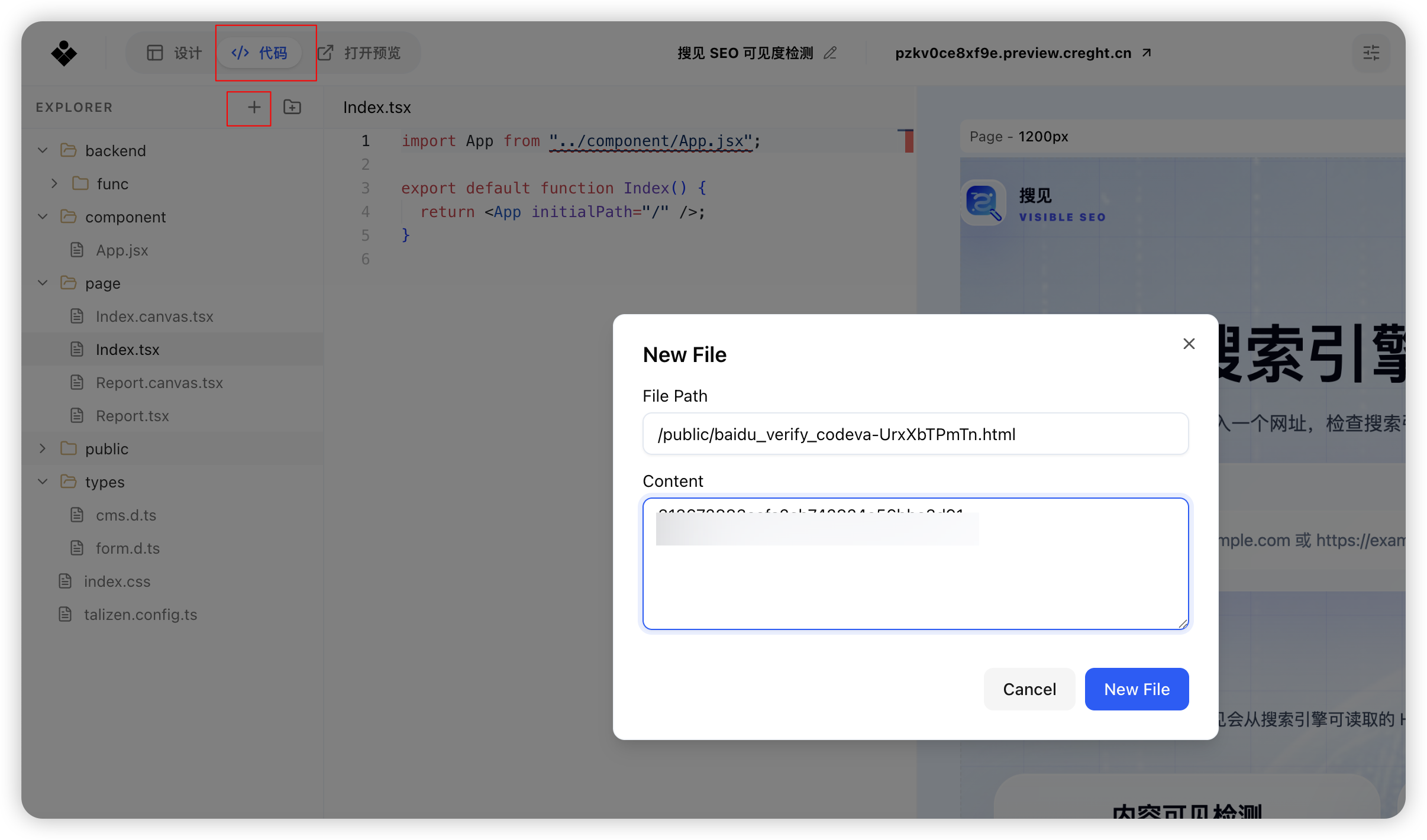
In the Creght editor, open “Code”, create a file with the same name under
/public/, paste in the file contents, and publish the website.
Return to Baidu and click “Complete Verification”.
HTML Tag Verification
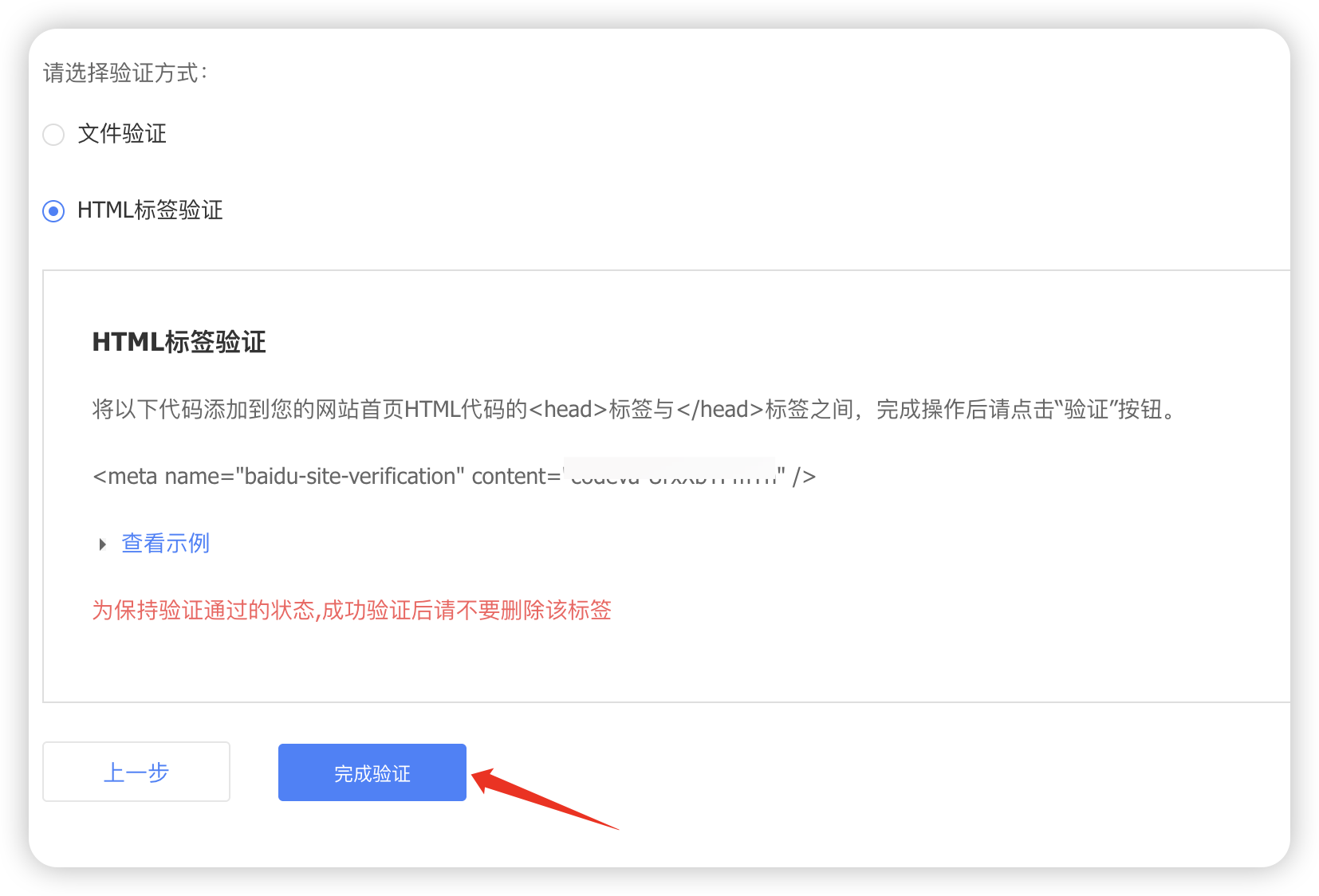
Copy the verification tag from the Baidu verification page.
Paste the tag into the Creght AI input and say: “Add this Baidu verification tag to the
<head>of the homepage, then publish the website.”
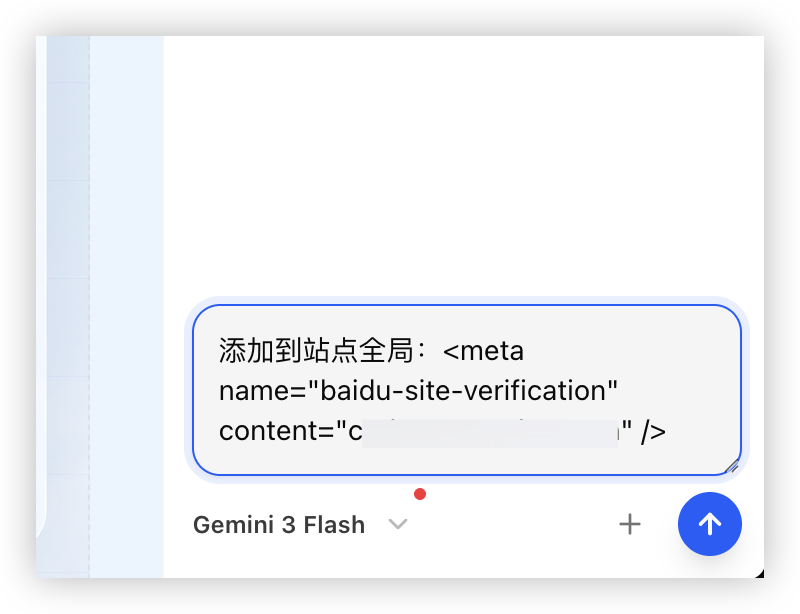
Publish the website, then return to Baidu and click “Complete Verification”.
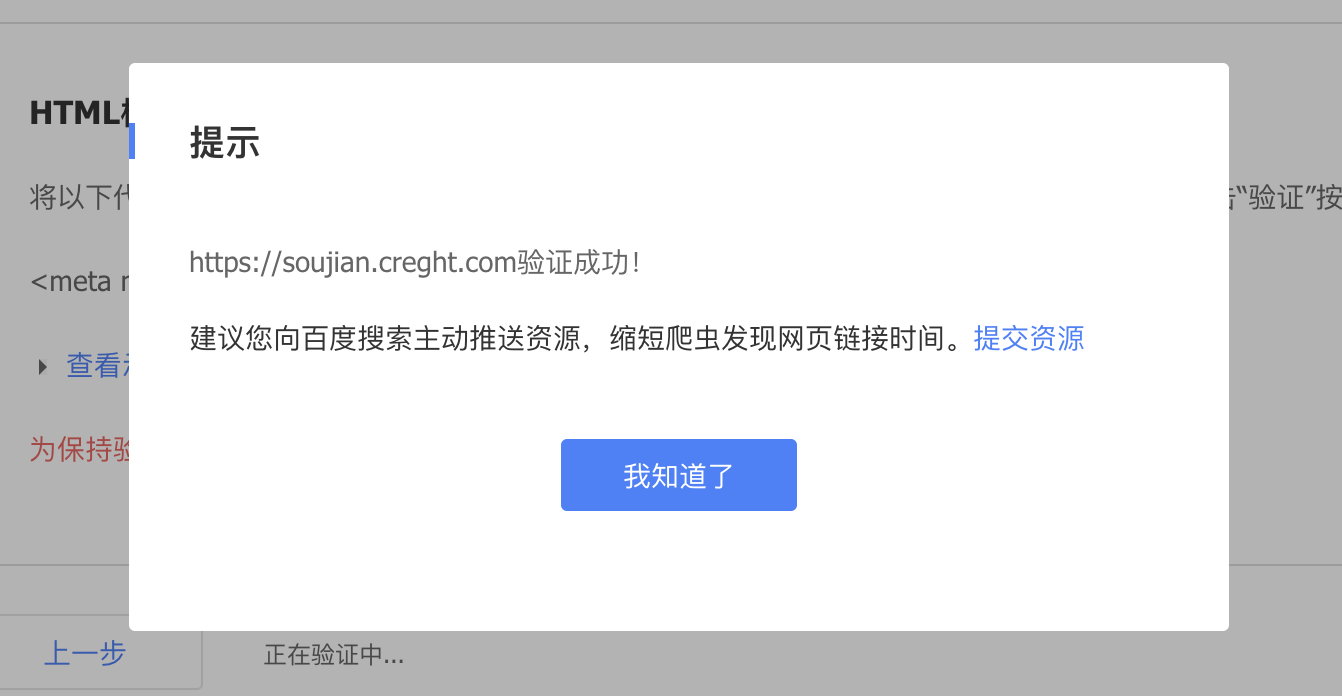
When the success message appears, verification is complete.
Visual Website Builder
File Verification
Choose “File Verification” on the Baidu verification page and download the verification file. Do not change its filename or contents.
Open “Site Settings” in Creght and upload the verification file under “Small Files”.
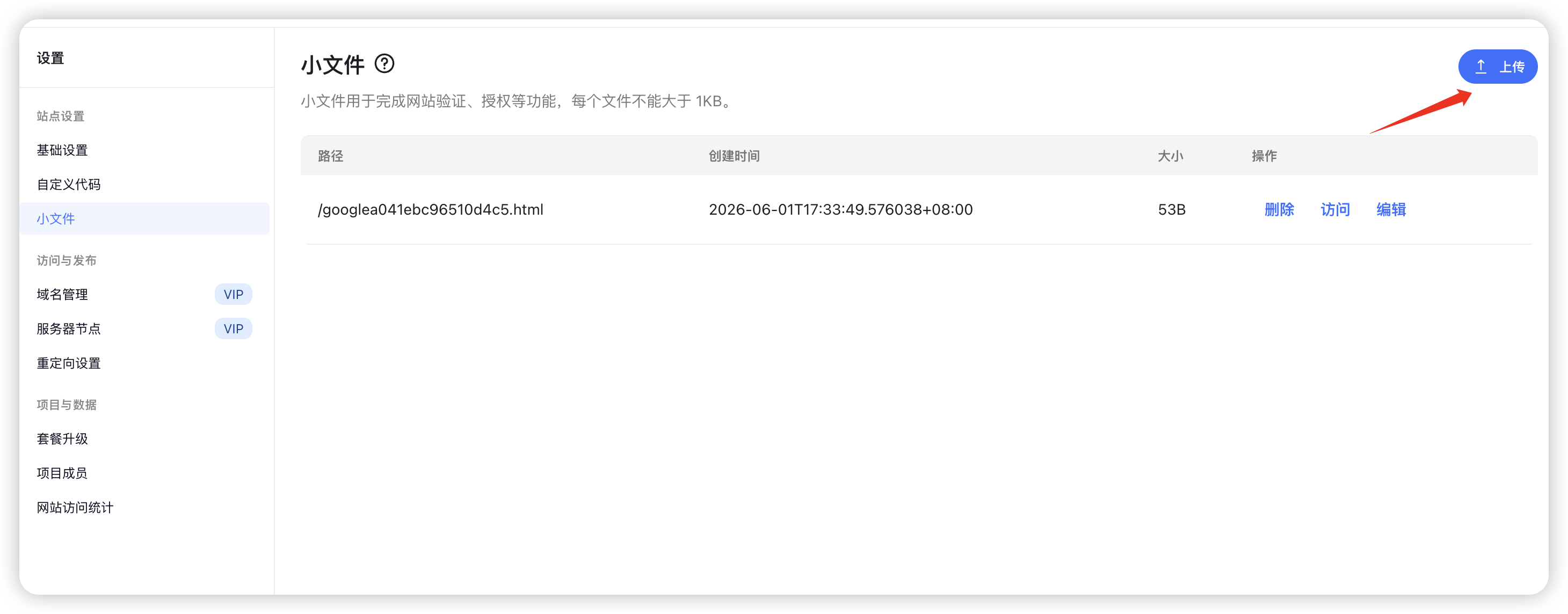
Save the settings and publish the website.
Return to Baidu and click “Complete Verification”.
HTML Tag Verification
Copy the verification tag from the Baidu verification page.
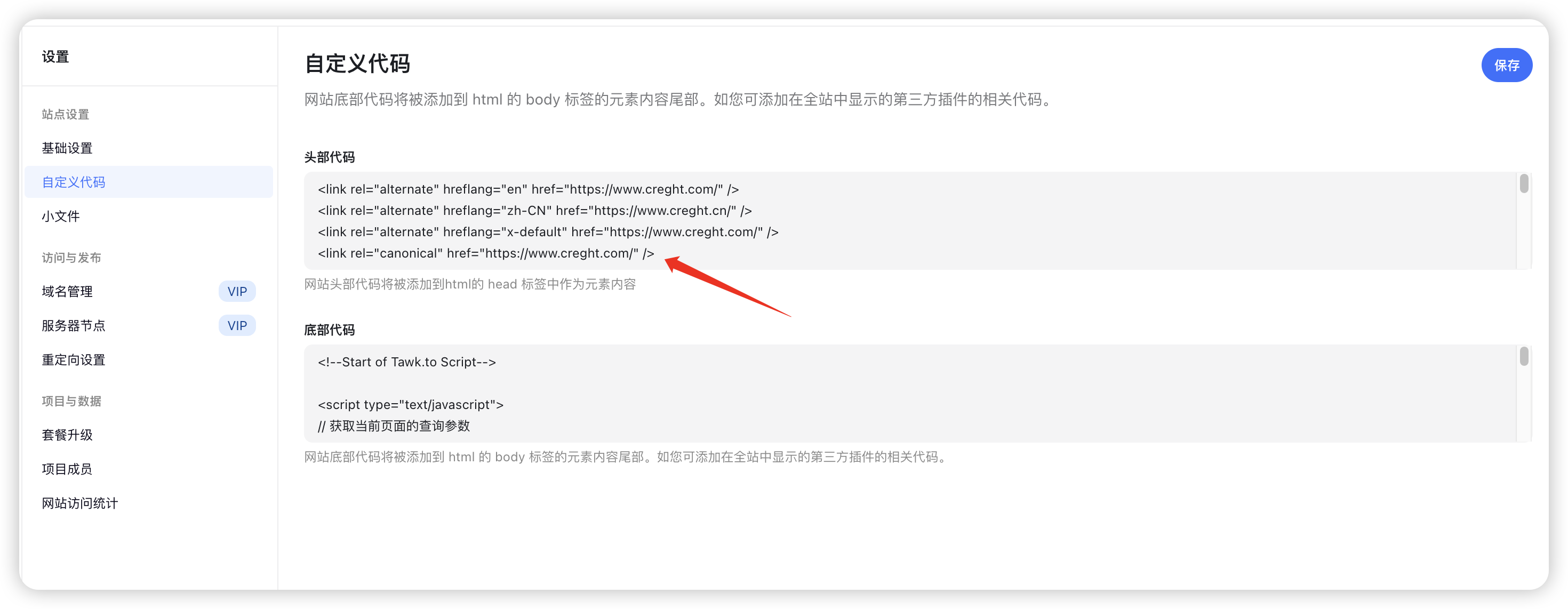
Open “Site Settings → Custom Code”.
Paste the tag into “Head Code” and publish the website.
Return to Baidu and click “Complete Verification”.
After verification succeeds, do not delete the verification file or HTML tag.
4. Submit Pages
Baidu provides Regular Submission, Sitemap, and API submission. These methods can be used independently; you do not need to configure all three.
Option 1: Submit an Individual Page with Regular Submission
Regular Submission is suitable for important pages such as the homepage, article pages, product pages, and case studies.
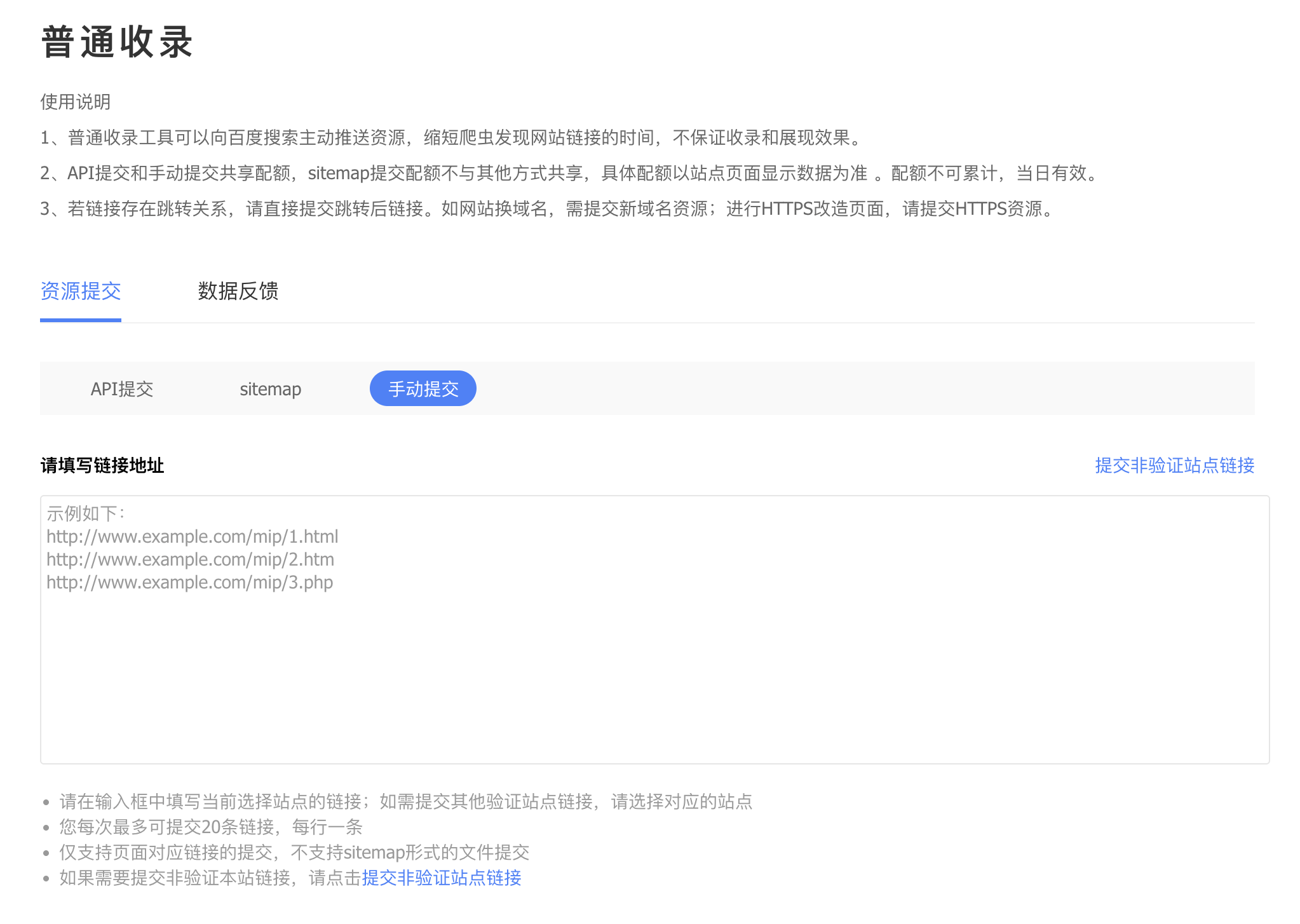
Open Baidu Regular Submission and select the verified site.
Paste the page URL into the input field. This is the complete URL shown in the browser address bar when the page is open.
Click Submit and wait for the result.
A successful submission means Baidu received the link; it does not mean the page has already been indexed. Do not repeatedly submit the same URL, and do not submit unpublished, empty, or inaccessible pages.
Option 2: Submit a Sitemap (Optional)
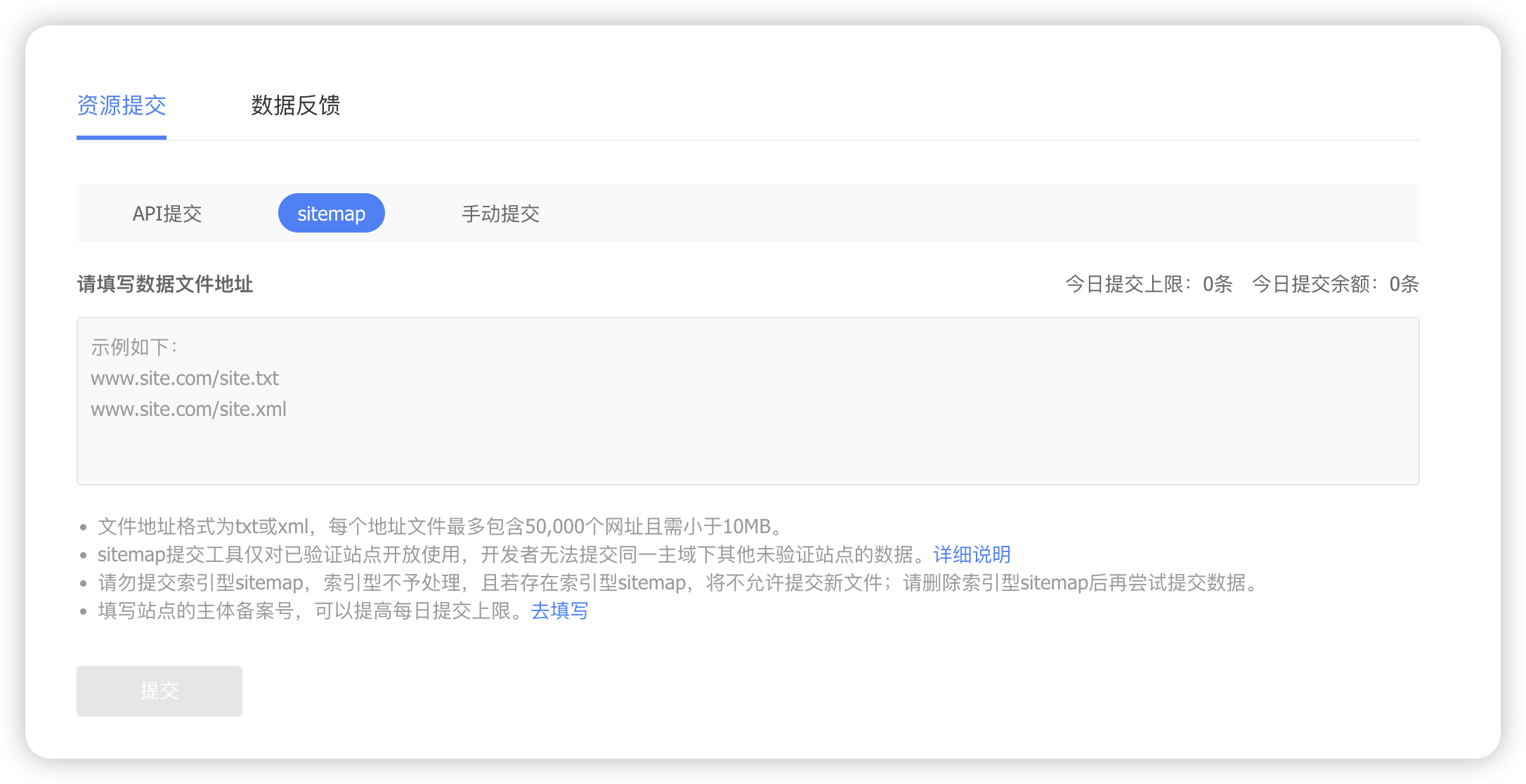
A Sitemap lists the pages on your website and is useful when the site has many pages. Baidu may restrict this feature by site or account, so some accounts may not show the entry.
If the feature is available, submit a Sitemap URL such as https://your-domain.com/sitemap.xml. If there is no entry, you lack permission, or submission fails, skip it and use Regular Submission instead.
Option 3: API Push (Advanced, Optional)
API submission is suitable for developers or websites connected to a CMS publishing workflow. This guide does not cover the configuration; you can skip it if you do not have an automated publishing workflow.
5. Check Whether a Page Has Been Indexed
After submission, use Baidu Search to check whether the page has appeared.
Option 1: Search Directly
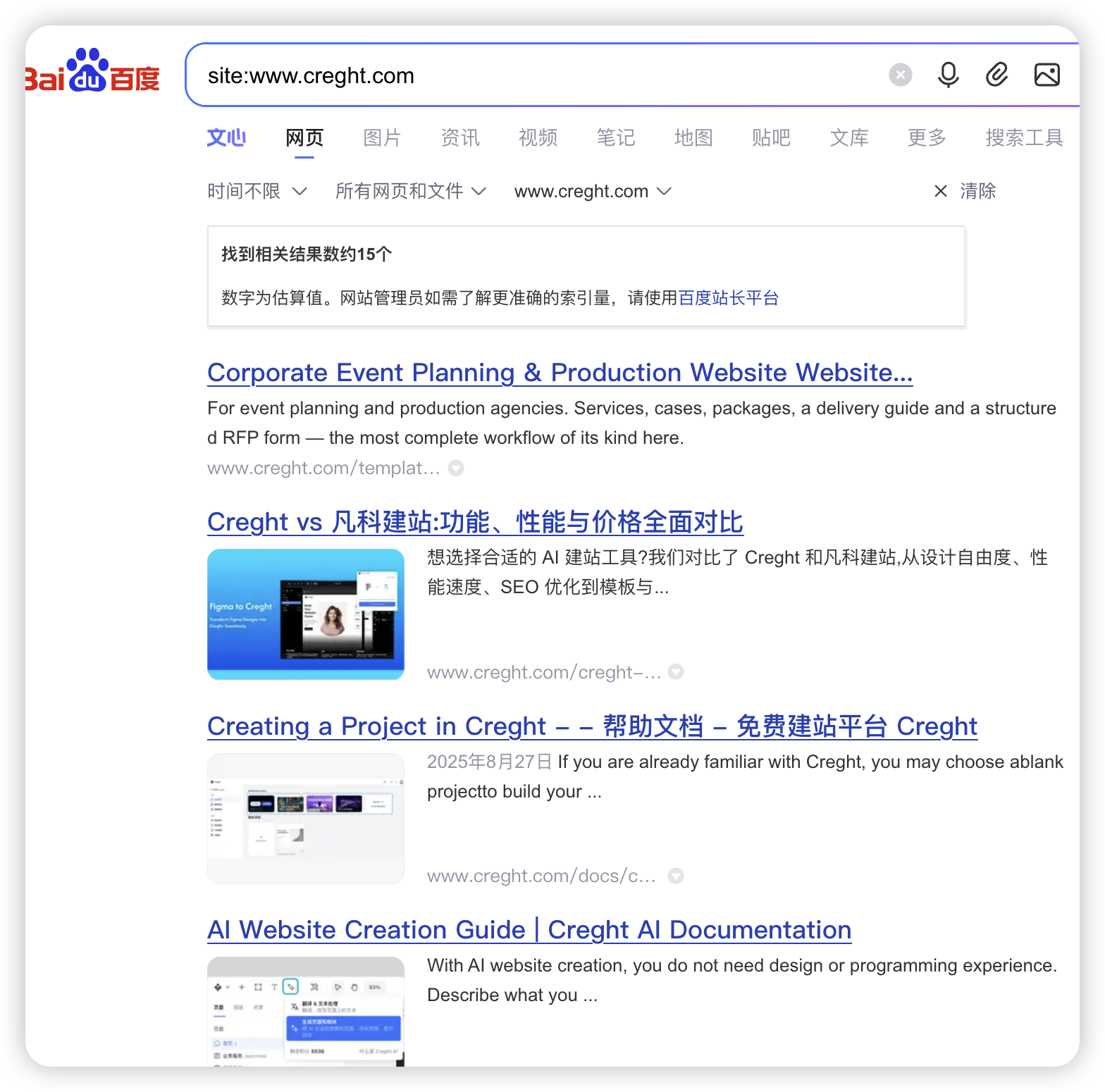
Enter the following in Baidu Search:
site:your-domain.com
For example:
site:example.com
If the site has been indexed, pages under the domain will appear in the results. Search results are not updated instantly, so not seeing a page immediately does not mean the submission failed.
6. What to Do If the Page Is Not Indexed
It is normal not to see a page immediately after submission. Check the following items in order:
Confirm the address is correct: Check
http/https,www/non-www, and the page path.Confirm the page is publicly accessible: Open it in a private browser window; it should not require login or special permissions.
Confirm indexing is not blocked: The page should not use
noindex, androbots.txtshould not block Baidu from crawling important pages.Confirm the page opens normally: Avoid 404 errors, server errors, repeated redirects, or redirects to the wrong domain.
Confirm the content is complete: The page should have a clear title, complete content, and a clear topic. Avoid blank pages and large amounts of duplicate content.
Wait patiently: Successful submission only starts Baidu's processing workflow. New sites and pages may need time to be discovered, crawled, and evaluated.
What if Sitemap submission fails?
Sitemap access may be restricted by the site or account. If there is no entry, you lack permission, or submission fails, skip it; Regular Submission can still be used for important pages.
Are previously submitted URLs still valid after changing domains?
After changing domains, add and verify the new domain in Baidu Search Resource Platform, then submit the pages under the new domain again.
Will proactive submission improve search rankings?
It will not directly improve rankings. Proactive submission helps Baidu discover and crawl pages sooner; indexing and final rankings still depend on page content, site quality, and Baidu's search rules.