
Versioned Publishing Is Here: Separate Testing, Production, and Rollback
Creght now saves immutable site versions and lets Production and Testing run different versions. If a release goes wrong, switch Production back to a stable version without reverting code.
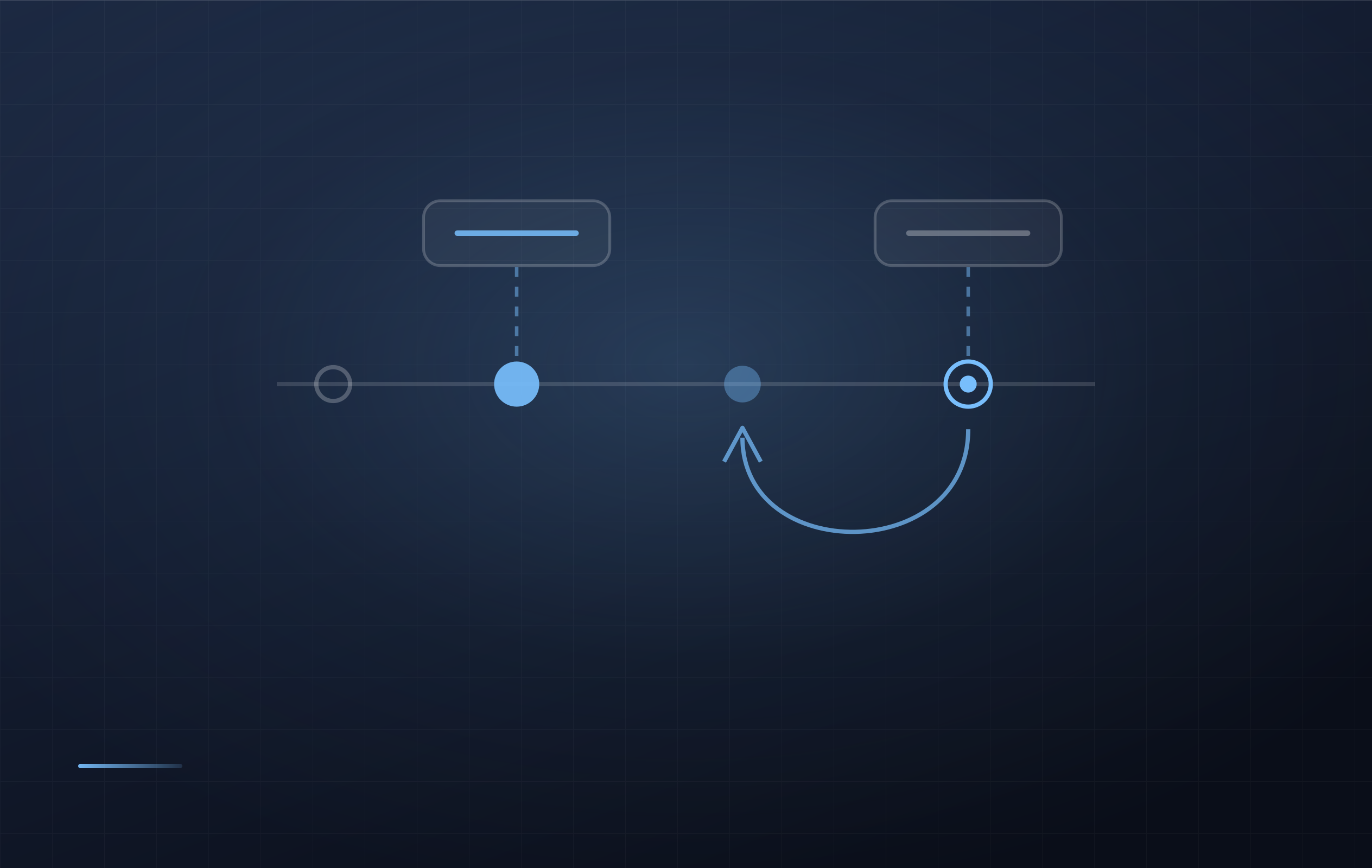
After a website goes live, the stressful part is often not making a change but recovering from the wrong one. A draft reaches Production before it is ready, and the team has to revert code and publish again. Creght now separates saving a version from choosing where that version is live.
Versioned publishing gives every release a durable record and makes testing, production rollout, and emergency rollback independent operations.
Publishing no longer means only “the latest”
When you publish the current workspace, Creght first saves an immutable site version. Each version has a site-scoped number such as v166 and can include a release note. Continuing to edit the site does not change any saved version.
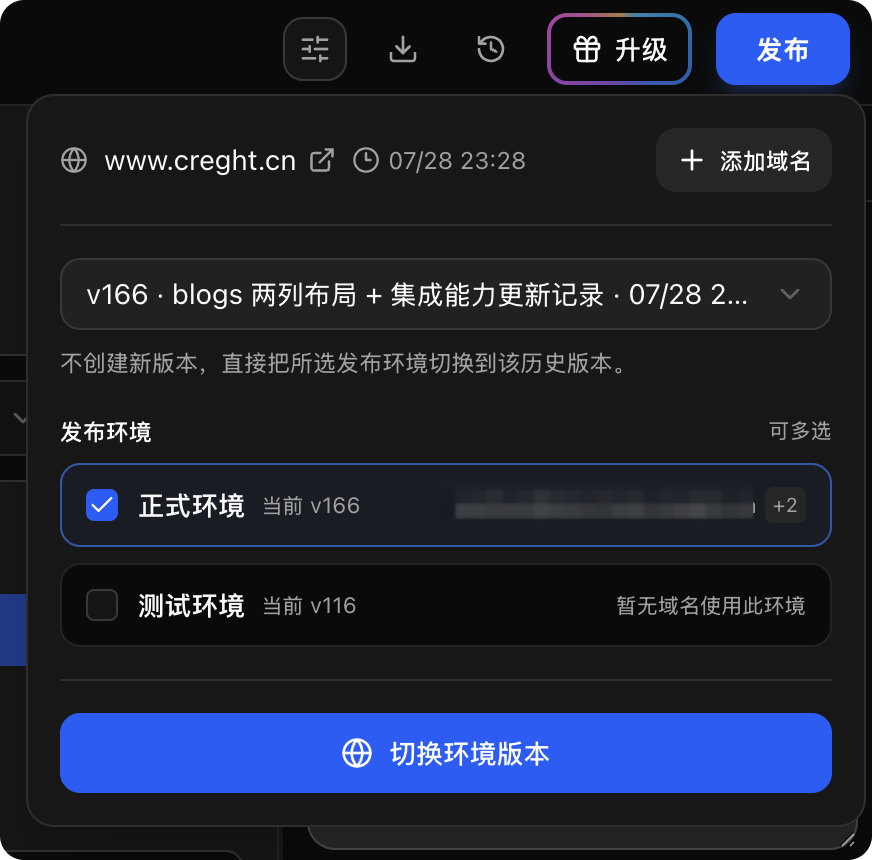
You can create a version and publish it to selected environments immediately, or save it without changing any live domain. To use an older version again, select it from the version list—there is no need to rebuild it or restore the workspace.
Production and Testing can run different versions
Every site now has two default publishing environments:
Production serves the stable version to real visitors.
Testing is for checking new pages, content, and interactions before rollout.
You can select multiple environments and move both to the same version, or update Testing first and promote that exact version to Production after verification. Switching to an existing version creates no new version and leaves the current workspace untouched.
Every domain chooses its publishing environment
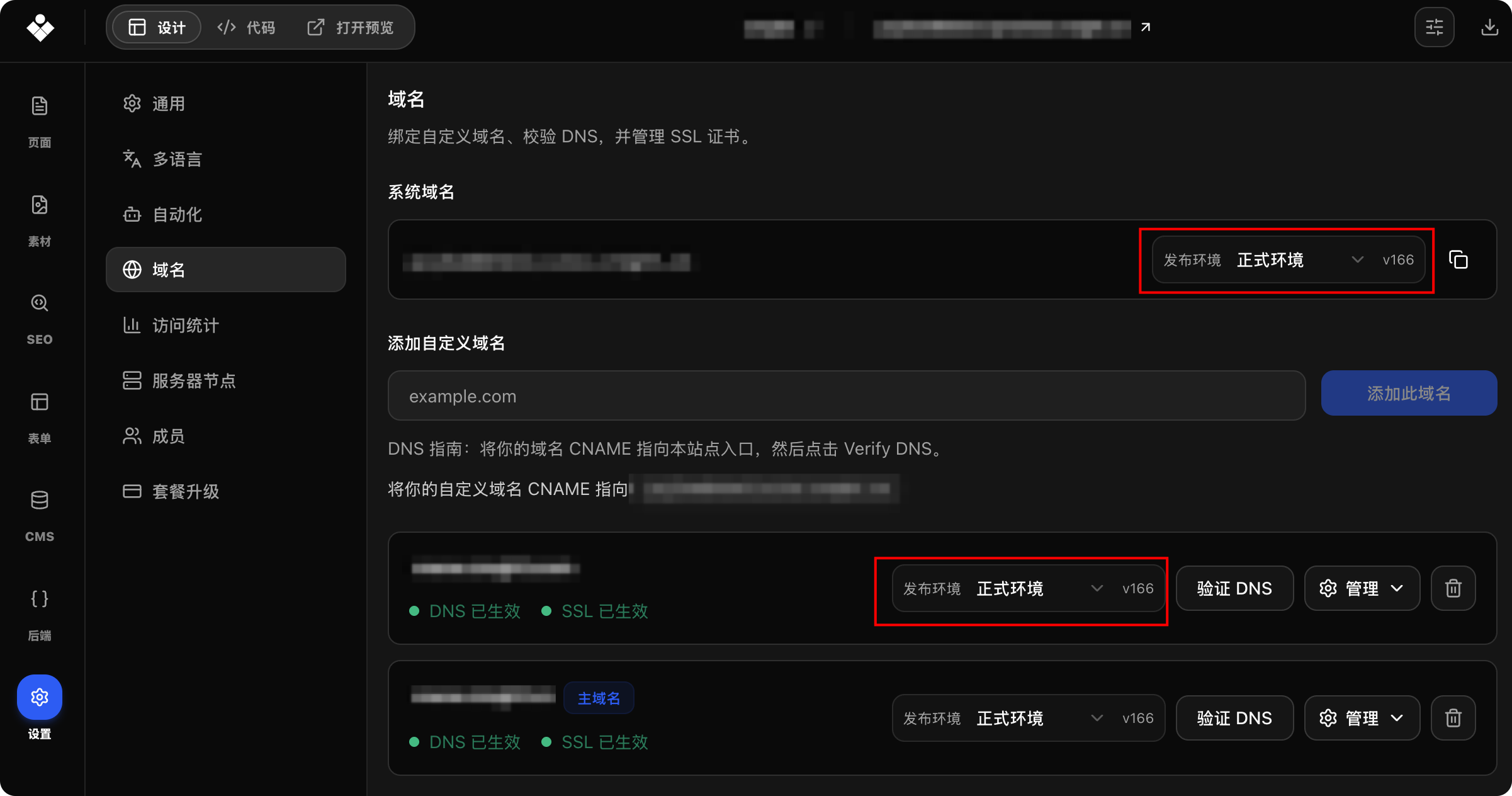
The system domain and every custom domain can point to Production or Testing. Domain settings show both the selected environment and its currently active version, so the source of the live content is always explicit.
When several domains use one environment, switching that environment updates all of them together. A domain reserved for review or internal testing can instead point to Testing on its own.
Recover without reverting code
If a newly published version has a problem:
Open the Publish panel.
Select the most recent stable version.
Select Production.
Choose “Switch environment version.”
Production domains point back to the stable version while the current workspace and newer versions remain intact. Fix the issue at your pace, then create and publish another version when it is ready.
A safer release workflow
Publish a new version to Testing first and verify it through a testing domain. Once approved, move the same version to Production. If an issue appears after rollout, switch Production back to the previous stable version immediately.
Versions answer “what was released,” environments answer “where it is active,” and domain bindings answer “who can reach it.” Separating those decisions makes publishing safer—and no longer a one-way operation.