
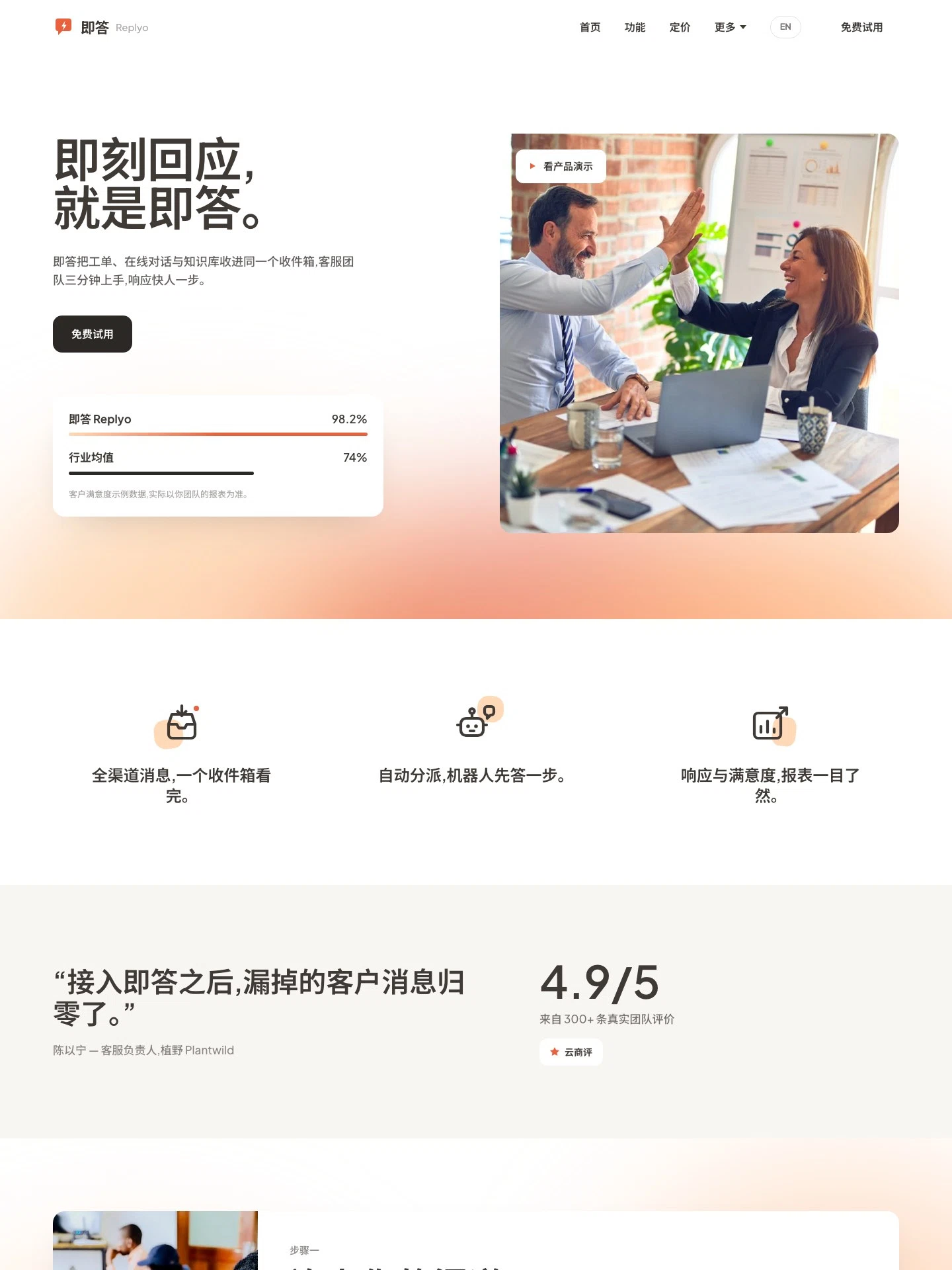
Customer Support SaaS Website
For SaaS teams selling helpdesk, live chat or collaboration tools. Features, pricing, a comparison page, customer stories, reviews and a blog, with demo and contact forms — in Chinese and English.
The demo is a real published Creght site. Content is placeholder.
Included pages (10)
All built and responsive. Add, remove or rename them after generating.
- Home
- From one inbox to the numbers, with a live ticket walkthrough
- Features
- Bot-first replies, handovers and how a team gets started
- Pricing
- Four subscription tiers and an FAQ accordion
- Compare
- A side-by-side table against two rival products
- Customers
- Three switch stories, detail pages managed in CMS
- Reviews
- Nine reviews from paying teams, editable in CMS
- Blog
- Six support-ops articles with detail pages and signup
- About
- What the team believes and how it works
- Demo
- A standalone form for booking a product demo
- Contact
- Message form, phone number and office address
Sections on the home page
Rewrite any section with AI, or edit text and images on the canvas.
- Reply in a blink, with Replyo
- Every channel, one inbox
- Three steps, live the same day
- From message received, to answer delivered
- They switched to Replyo
- Look at these numbers
Live preview
The real published site, embedded below. Scroll and click around inside it.
Is this template right for you?
A good fit for
- SaaS teams selling helpdesk, live chat or team collaboration tools
- Product sites that convert with customer stories, reviews and a comparison page
- Subscription products collecting leads through demo bookings and contact forms
Probably not for
- Products needing in-site signup, subscription and payment — this template has forms only, no checkout or accounts
- A single conversion landing page with no multi-page content — use landing-page instead
- Developer sites built around docs and API reference — there is no docs tree or site search
Common questions
Can I still edit the site after generating it from a template?
Yes. You can keep talking to the AI, or click any element on the canvas and edit text, images and styles directly. Both act on the same site and write back to real code.
Do I need to write code?
No. Generating, editing and publishing all happen in the browser — no local dev environment, no build step. If you do write code, exporting the code is supported.
Can I connect my own domain?
Custom domains with automatic SSL are included in the Pro and Max plans. The free plan does not include a custom domain or SSL, but you can still generate, edit and publish on the system-provided address.
Can I switch to a different template later?
Templates cannot be switched after the fact — you would need to create a new site. So open the live demo first and see the real thing before choosing. If you have already purchased a plan, contact support for help.
How far can I get on the free plan?
New projects start on the free plan, which covers most capabilities — cloud functions, data tables, user accounts and payments — enough to run the whole flow end to end. Each has a usage cap, and custom domains, SSL, badge removal and code export are not included.
How long does generation take?
Usually one to five minutes; complex sites take longer. What you get is a complete site that works on desktop and mobile — not a mockup.
More in this category
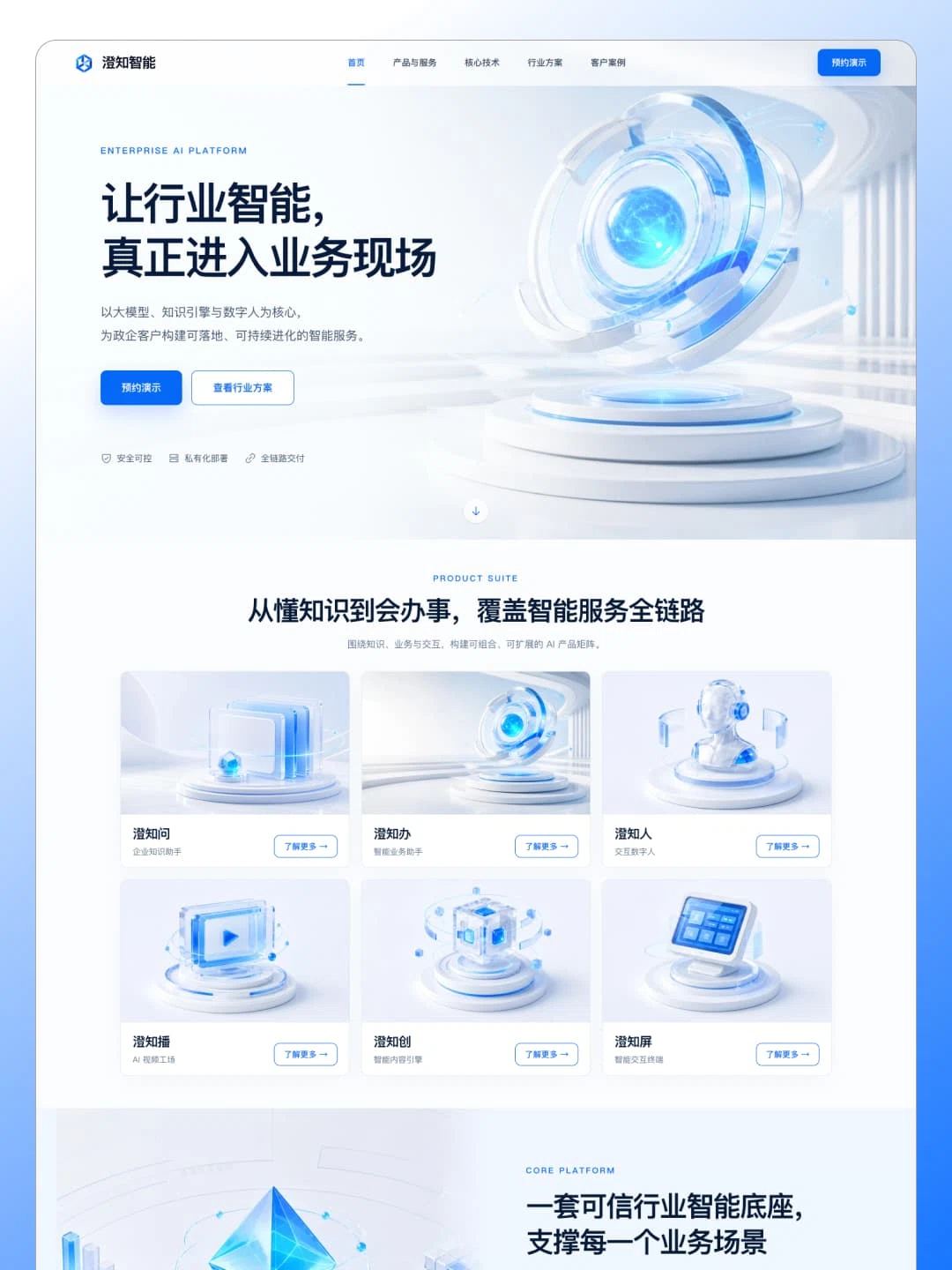
AI Product Landing Page
For industry AI platforms selling to government and enterprise buyers. One long landing page covering six products, four platform capabilities and five industry scenarios, closing on a lead form.
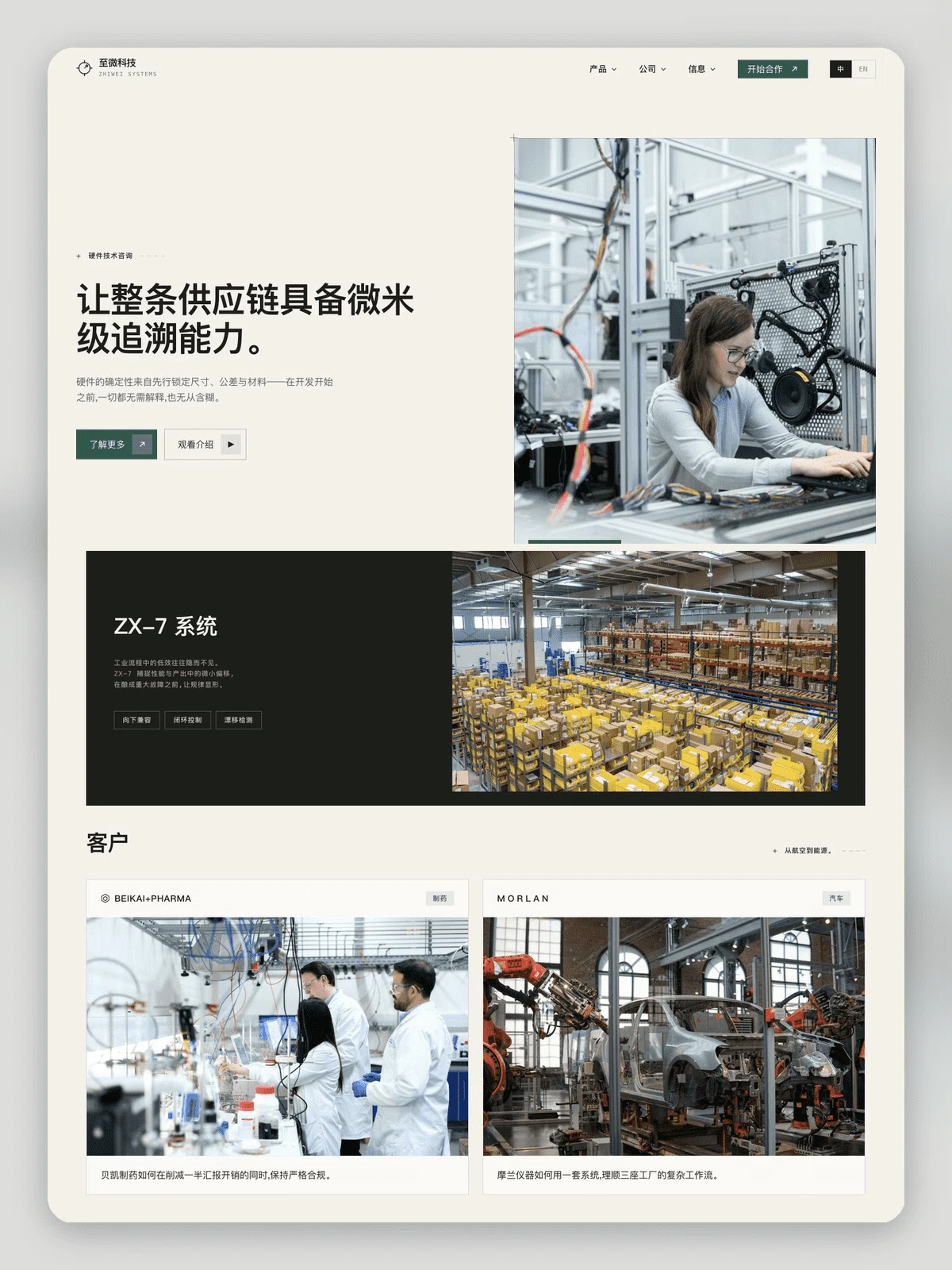
Tech Company Website
For B2B technology companies selling a service. Sixteen pages spanning product, industries, customer cases, pricing, insights and hiring, bilingual throughout, with the blog and cases in the CMS.
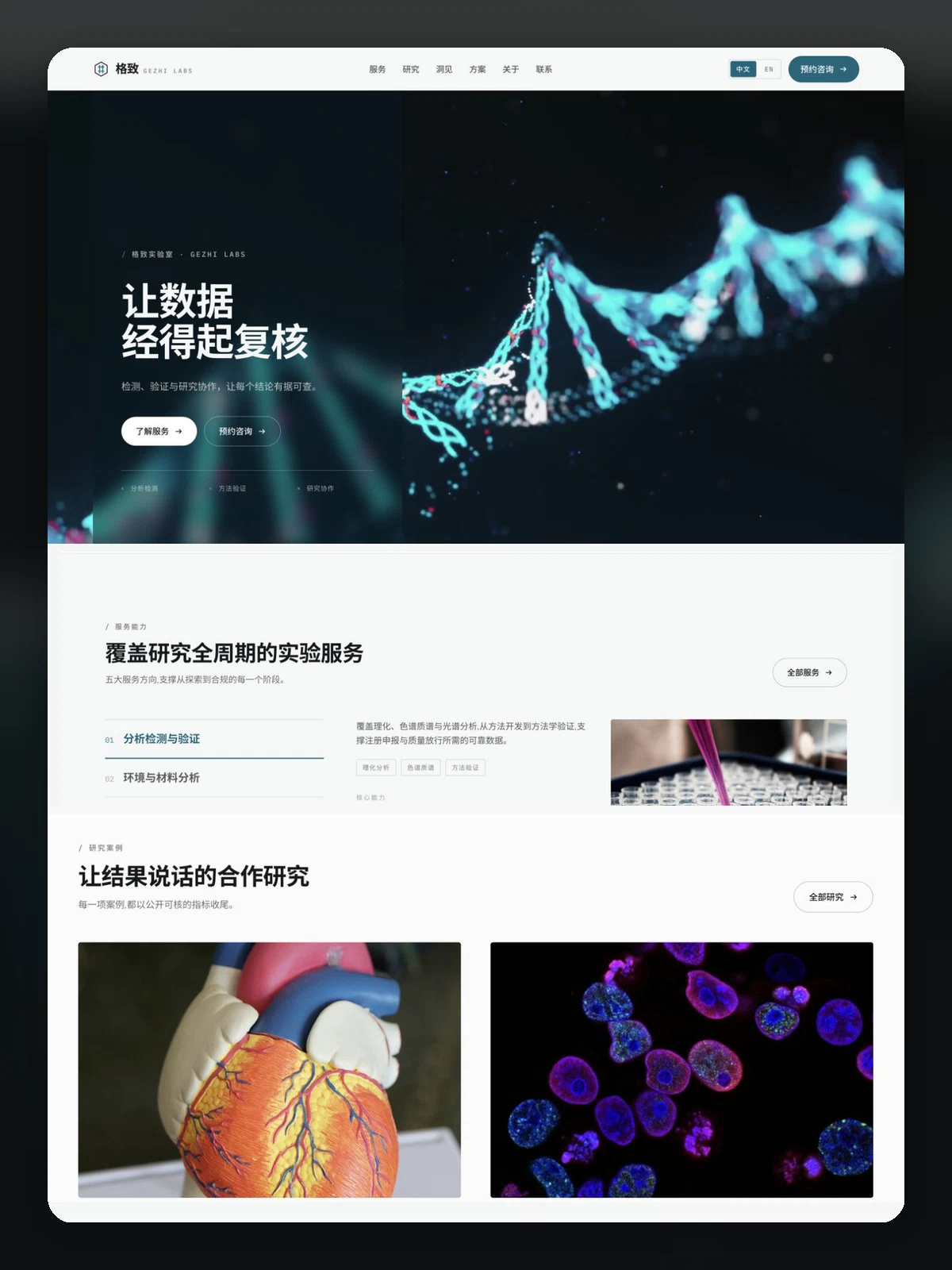
Gezhi Labs
For third-party testing labs, research facilities and CRO-style services. Services, research areas, plans, publications, insights and contact, in Chinese and English.